Battlefield Redsec Custom Loadouts Explained
Master custom weapon drops, favorites, and mission rewards to make your Redsec loadout feel like your own personal arsenal.
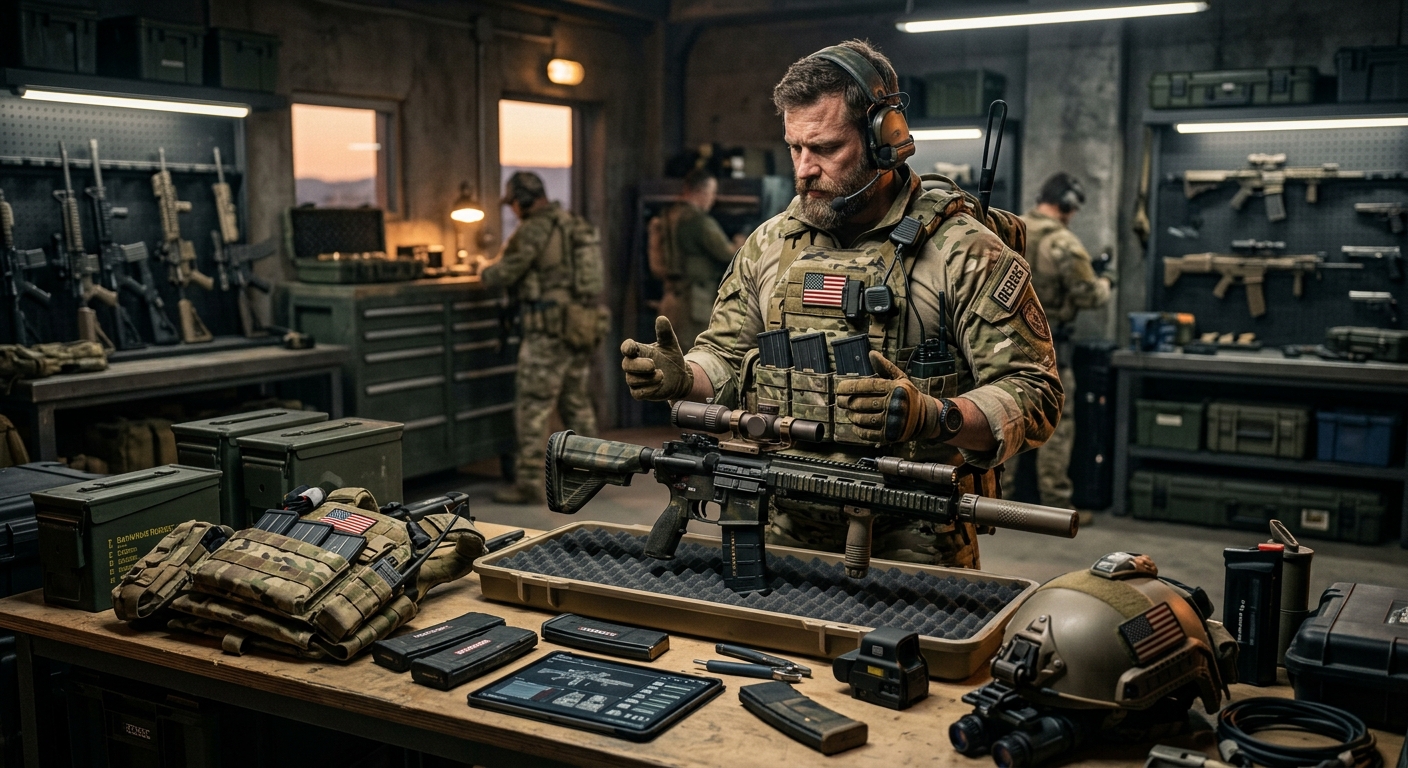
Battlefield Redsec blends traditional Battlefield gunplay with a high-stakes battle royale format. Unlike the main multiplayer modes where you spawn directly with your chosen class and weapons, Redsec limits what you can bring in from your loadouts. You cannot drop into the match with your entire setup, but there is a way to call in your favorite custom guns once the round begins. This guide walks through exactly how that system works, how to prepare your weapons beforehand, and how to secure custom weapon drops during a match.
How Loadouts Work Differently in Redsec
Redsec is designed around scavenging equipment on the ground, but it also lets you inject some personalization through your saved loadouts. To understand the custom weapon feature, it helps to compare it with classic Battlefield loadout behavior.
| Aspect | Standard Multiplayer | Redsec Battle Royale |
|---|---|---|
| Spawn Equipment | Full class loadout (primary, secondary, gadgets, grenades) | Basic kit or picked-up weapons only |
| Custom Guns at Start | Yes, as soon as you spawn | No, must be earned mid-match |
| Weapon Access | Immediately from loadout menu | Through special custom weapon drops |
| Entire Loadout | Available every respawn | Only individual weapons, not full class setup |
| Progression Focus | Class builds and roles | Map control, loot, and event rewards |
In short, Redsec emphasizes on-map loot but gives you periodic chances to pull in one of your customized guns. That makes preparing those weapons ahead of time just as important as winning firefights once you deploy.
What Custom Weapon Drops Are and Why They Matter
Custom weapon drops are special crates that appear during Redsec matches. Interacting with one lets you choose from a list of pre-selected guns linked to your main Battlefield loadouts. Instead of giving you a full class kit, these drops provide a single primary weapon that is configured exactly as you built it in the core game.
These drops matter because:
- Reliability: Ground loot can be inconsistent, while a custom weapon is tuned with your preferred recoil pattern, optics, and attachments.
- Role definition: Squads can coordinate so one player pulls in a long-range rifle, another a close-quarters SMG, and so on.
- Skill expression: Familiar weapon builds make it easier to capitalize on your existing muscle memory and aim practice.
However, there are constraints that keep these drops from overpowering the mode, which we’ll break down in more detail.
Marking Weapons as Favorites Before a Match
You cannot scroll through your entire arsenal when a custom weapon drop lands. Instead, Redsec references a curated list of weapons that you’ve marked as favorites in the main loadout interface. Those favorites are the only guns that can be pulled into the battle royale.
Step-by-step: Preparing Favorite Weapons
Before queuing for Redsec (or while you’re sitting in the lobby for the next match), follow these steps in the main Battlefield menus:
- Open the Loadouts menu from the main hub.
- Select a class (such as Assault, Engineer, Support, or Recon).
- Highlight the primary weapon you want to use in Redsec.
- Enter the weapon customization screen to adjust attachments, optics, and cosmetics.
- Use the on-screen prompt to toggle the weapon as a favorite (controller players will see a specific button like Triangle or Y; keyboard users will see a different key binding).
- Repeat this for several different guns so you have options for close, mid, and long-range fights.
Once a weapon is successfully favorited, it will appear in your Redsec custom weapon list. There’s typically a limit on how many favorites you can maintain at once, so periodically prune the list by unfavoriting guns you no longer rely on.
Why You Should Diversify Your Favorites
Redsec’s shrinking map and unpredictable engagements mean you won’t survive long if all your favorites are built for a single niche. As the circle closes, you may move from wide-open terrain to cramped buildings, or vice versa.
Consider allocating your favorites roughly as follows:
- 2–3 mid-range assault rifles with balanced recoil and 1–2x scopes.
- 1–2 close-quarters weapons (SMGs or shotguns) with hip-fire or fast ADS builds.
- 1 long-range weapon (DMR or sniper rifle) for open ground and rooftop fights.
- 1 flexible hybrid build that can handle mixed engagement ranges.
This ensures that when you reach a custom weapon drop you can choose something suited to your current surroundings and the remaining enemy squads.
Finding Custom Weapon Drops in Redsec
Once you deploy into the Redsec map, you’ll start with standard ground loot. Custom weapon drops arrive later via two main channels: random events and mission rewards. Each has different risk levels and tactical implications.
Random Map Events
At intervals during the match, the game may trigger a world event that drops a limited number of custom weapon crates somewhere on the map. These are visible not just to your squad, but to every player still alive.
Features of random events include:
- Shared objective: Multiple squads converge on the same area, turning the drop site into a contested hotspot.
- Uncertain timing: You can’t predict exactly when or where these events will occur.
- High risk–high reward: Securing one early can give you a powerful weapon before other teams gear up.
This system is similar to other battle royale mechanics where rare loot rewards appear in public zones. By design, it creates dynamic fights instead of static camping, aligning with broader game design trends in competitive shooters.1
Mission-Based Rewards
Alongside random events, Redsec offers missions (often compared to contracts in other battle royales). Shortly after the match begins, your squad is presented with several mission options visible from the in-game map. Completing certain missions pays out a custom weapon drop near your team’s position.
Key points about mission rewards:
- Predictable payout: The reward location is near your squad, so you don’t have to rush across the map.
- Lower risk than public drops: You still face danger, but you decide when to start the mission and can prepare accordingly.
- Strategic choice: You see multiple mission types and can select the one that best matches your squad’s situation and skill.
This mirrors how objective-based contracts are used in other shooters to promote movement and engagement without forcing constant random encounters.2
How Many Custom Weapons You Can Get
Each custom weapon crate is single-use per player. When you open a crate, you may choose one weapon from your favorites list, and that choice is final for that specific drop. Other members of your squad can still interact with the same crate once to claim their own favorite weapons, but none of you can go back and swap again.
The practical consequences are:
- No loadout cycling: You cannot treat weapons like a menu you can change every time you pass by a crate.
- Commitment matters: What you pick should reflect both current needs and your likely future fights based on the shrinking circle.
- Multiple opportunities: Over the course of a match, you may encounter multiple drops through events and missions, giving you more than one chance to call in different favorites.
Additionally, custom weapon drops will self-destruct after a short period or once used, preventing teams from stockpiling them indefinitely and encouraging quick decision making.
Best Practices for Choosing Your Custom Weapon in Match
When you finally reach a custom weapon crate, deciding what to pull in can be stressful. You need to consider not just your personal comfort but the evolving match conditions.
Assess the Situation Before Opening the Menu
Take a few seconds to answer these questions:
- Where is the circle closing? If you’re about to fight in tight urban areas, prioritize a close or mid-range build.
- How much ammo and armor do you have? If you’re low on resources, you may want a gun that works well with common ammo types you can easily scavenge.
- What are your teammates using? Avoid duplicating roles; diversify so your squad can handle multiple engagement types.
This collaborative squad playstyle reflects broader recommendations for team-based shooters, where varied roles and overlapping fields of fire improve survival odds.3
Match Your Gun to the Remaining Player Count
As lobbies thin out, the typical engagement distance changes:
- Early game: Fragmented firefights across buildings and open ground. Flexible assault rifles shine.
- Mid game: More deliberate rotations, more third-party opportunities. Accurate mid-range builds are ideal.
- End game: Final circles often favor close-quarters brawls in small zones. Short-range weapons with quick handling dominate.
Plan your favorites so your first weapon drop caters to surviving the mid-game, while later drops (if you get them) can specialize for the final circles.
Example Favorite Loadout Archetypes
Every player’s exact build will vary based on unlocked attachments and personal preferences, but it helps to think in terms of archetypes rather than specific guns. Here are a few templates you can adapt:
- Balanced Rifle Build
- Medium barrel or equivalent for stability.
- Foregrip to control vertical recoil.
- 1x or 1.5x optic for clear sight picture.
- Standard or slightly extended magazine.
Use this when you’re unsure what the match will throw at you. It handles most scenarios competently.
- Close-Quarters Specialist
- Short barrel and lightweight stock for faster ADS.
- Laser or hip-fire assist if available.
- High rate of fire and large magazine.
- Simple 1x optic or iron sights.
Ideal for late-game circles in dense buildings or industrial areas where reaction time beats precision.
- Long-Range Marksman
- Precision barrel and stability attachments.
- High-magnification optic.
- Bipod or recoil-reducing grip where possible.
- Lower rate of fire but high damage per shot.
Suited for players who like overwatch roles, locking down open fields or high vantage points.
- Mobile Flanker
- Suppressed rifle or SMG.
- Attachments prioritized for mobility over raw range.
- Red dot or holographic sight.
- Moderate magazine size to avoid long reloads.
Great if your squad relies on one player to rotate around enemy teams and apply pressure from unexpected angles.
Whichever archetypes you adopt, test them in standard multiplayer first so you understand their recoil and handling before trusting them in a Redsec lobby.
Tactical Tips for Safely Securing Drops
Because custom weapon drops attract attention, your approach matters as much as your aim. Here are some tactical guidelines:
- Scout first: Use drones, optics, or high ground to check for enemies before committing to the crate.
- Rotate as a unit: Approach from varying angles but stay within support distance so you can trade knockdowns.
- Smoke and cover: Deploy smoke grenades or other utility to conceal your interaction with the crate.
- One at a time: Don’t have all squad members interact simultaneously; keep at least one covering.
- Leave immediately: Once you’ve grabbed your weapons, relocate. Other teams may have spotted the drop marker.
These fundamentals mirror general recommendations for objective capture in squad-based shooters: prioritize information, coordinated timing, and post-objective repositioning to avoid counterattacks.4
Frequently Asked Questions
Can I bring my full class loadout into Redsec?
No. Redsec is built around scavenging and event rewards. You can only import individual weapons from your favorites list via custom weapon drops, not your full set of gadgets and equipment.
How do I know which weapons are eligible as favorites?
Any primary weapon you have unlocked and can customize in the main Battlefield loadout menu can be marked as a favorite. Once flagged, it becomes part of your Redsec custom weapons pool.
Is there a limit on favorite weapons?
Yes, there is a cap on how many favorites you can maintain. While the exact number may change with patches, you should assume you can only keep a curated list and will need to periodically unfavorite older builds.
Can multiple players in a squad use the same custom weapon drop?
Yes. Each player can interact with the same drop once, choosing one weapon from their own favorites. After everyone has used it or the timer expires, the drop disappears.
What happens if I wait too long to use a custom weapon drop?
Custom weapon drops are temporary. If left unused for too long, they self-destruct, denying their rewards to everyone. Prioritize reaching them if your squad decides they’re worth contesting.
Do custom weapon drops replace normal loot?
No. They exist alongside standard ground loot, chests, and other item spawns. Think of them as a supplementary system that offers a touch of personalization inside a loot-driven mode.
Final Thoughts
Redsec’s custom weapon system strikes a balance between Battlefield’s traditional loadout depth and the unpredictable chaos of a battle royale. By carefully preparing a diverse set of favorites, understanding how drops spawn, and coordinating missions with your squad, you can consistently bring your best guns to the fights that matter most. Treat each custom weapon crate as a strategic objective, not just a loot box, and your squad will be far better positioned to control the flow of the match and emerge as the last team standing.
References
- Game User Research and the Importance of Telemetry — International Game Developers Association (IGDA) Game User Research Special Interest Group. 2020-06-01. https://igda.org/sigs/game-user-research/
- Designing Fair and Engaging Matchmaking Systems — Riot Games Engineering Blog. 2020-09-15. https://engineering.riotgames.com/news/designing-fair-and-engaging-matchmaking-systems
- Overwatch Gameplay: Team Roles and Composition — Blizzard Entertainment, Overwatch Official Site. 2023-04-10. https://playoverwatch.blizzard.com/en-us/news/23814663/
- Call of Duty: Warzone – Strategy Guide: Contracts — Activision Support. 2022-08-05. https://support.activision.com/warzone/articles/warzone-contracts-overview
Similar Articles








Read full bio of medha deb