Build a Steam Machine-Like Setup Today
A practical Steam Deck workaround for anyone waiting on Valve’s next living-room PC.
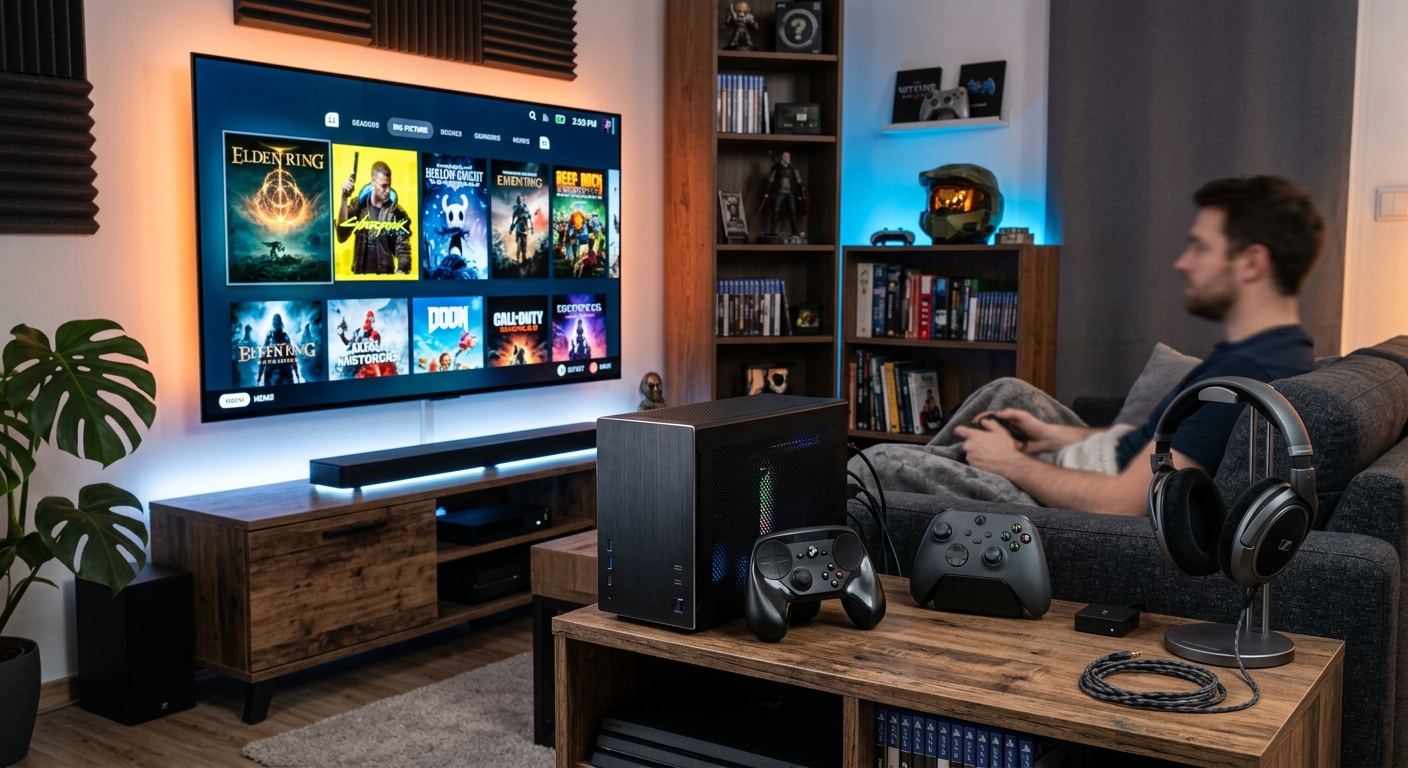
If you have been hoping for a simple, compact SteamOS living-room PC, you are not alone. Valve’s hardware plans have sparked plenty of interest, but waiting for a future mini gaming box does not mean you have to sit on your hands. A Steam Deck can already cover much of the same ground if you pair it with the right accessories and organize it like a small home console instead of a handheld.
The goal is not to pretend a handheld becomes a desktop replacement overnight. Instead, the idea is to create a comfortable, plug-and-play setup that feels closer to a dedicated lounge machine. With a dock, a wireless controller, proper storage, and a few quality-of-life extras, the Steam Deck can become a surprisingly capable centerpiece for TV gaming, couch co-op, cloud streaming, and light desktop use.
Why a Steam Deck Can Stand In for a Steam Machine
The Steam Deck already has the biggest ingredient a living-room gaming box needs: SteamOS. It boots fast, is designed around controller navigation, and gets you directly into your library without the distractions that come with a full desktop operating system. When attached to a display, the experience naturally shifts from handheld mode to something more console-like.
That said, the Steam Deck is still a portable device at heart. For it to function well in a stationary setup, it needs support in four areas: stable output to the TV, comfortable control from the couch, enough storage for modern games, and a way to stay cool during longer sessions. Once those basics are handled, the machine feels much closer to a compact console than a laptop in disguise.
The Core Pieces You Need First
Before chasing niche accessories, it helps to focus on the essentials. A dependable living-room setup is built from a small number of high-impact parts. These items make the difference between a novelty and something you can actually use nightly.
| Accessory | What it does | Why it matters |
|---|---|---|
| Dock or USB-C hub | Connects power, display, and peripherals | Turns the handheld into a stable TV-friendly system |
| Wireless controller | Provides couch-friendly input | Makes the setup feel like a console |
| Storage expansion | Expands room for games and updates | Prevents constant uninstalling and reinstalling |
| Cooling support | Improves airflow and heat management | Helps sustain performance in longer sessions |
A Dock Is the Foundation of the Whole Setup
The most important purchase is a good dock or USB-C hub. This is the part that makes the Steam Deck behave like a fixed gaming device. At minimum, you want power pass-through and video output. If the dock also includes USB ports, Ethernet, and a stable stand, even better.
A dock changes the way you use the device in subtle but meaningful ways. You can leave the Deck charged, keep it next to the television, and jump in and out of games without juggling cables every time. Ethernet support is especially useful for large downloads and cloud gaming, while multiple USB ports let you attach extra storage or a keyboard when needed.
- Power delivery: Keeps the handheld charged during play.
- Video output: Sends the image to a TV or monitor.
- USB ports: Allow controllers, keyboards, and storage devices.
- Ethernet: Improves download speeds and online stability.
Use a Controller That Feels Good for Long Sessions
A living-room setup lives or dies by the controller. Since the Steam Deck itself is not ideal for TV gaming unless you are docked beside the screen, you will want a wireless gamepad that suits your hands and the types of games you play. There is no single perfect option, but consistency matters more than chasing the latest model.
For many people, a controller with familiar twin-stick controls and reliable wireless pairing is enough. If you like gyro aiming, rear buttons, or extra customization, look for a pad that supports those features cleanly. The point is to reduce friction: the controller should wake up quickly, connect without drama, and last through an evening of play without needing to be recharged every hour.
It is also worth thinking about your game library. Fast-paced shooters, platformers, strategy titles, and couch co-op games may all benefit from different controller layouts. If your library leans heavily toward one genre, it can be smart to choose an accessory that complements that style rather than buying based on brand loyalty alone.
Storage Matters More Than You Think
Modern PC games can swallow storage very quickly, and a couch-friendly machine is no exception. If your goal is a convenient living-room system, constant storage anxiety works against the whole idea. Expanding storage is one of the best ways to keep the experience simple.
There are several ways to handle this. A larger microSD card is the easiest path if you want to avoid opening the device. External SSDs are a stronger choice if your dock makes them easy to connect, especially for larger libraries or games that benefit from faster loading. For users who are comfortable with hardware upgrades, installing a bigger internal SSD can be the cleanest long-term solution.
- microSD card: Fast to add, easy to swap, and ideal for convenience.
- External SSD: Great for larger libraries when used with a dock.
- Internal SSD upgrade: Best for users who want a more permanent fix.
If you regularly jump between blockbuster titles, indie games, and emulation, more storage gives the setup breathing room. It also makes the system feel more like a dedicated console, because you are not always thinking about what to delete next.
Cooling and Positioning Can Improve Everyday Comfort
When the Steam Deck is used as a small TV box, heat management becomes part of the overall experience. You may not need dramatic cooling accessories, but positioning still matters. Give the device room to breathe, avoid enclosing it in a cramped cabinet, and make sure cables are not blocking vents.
Some users like a simple stand that keeps the handheld upright. Others prefer a dock that already acts as a cradle. Either way, the purpose is the same: keep airflow clean and keep the setup tidy. If the system is going to live under a television, it should look and feel intentional rather than improvised.
A practical cooling strategy is also about environment. A hotter room, a closed media cabinet, or a pile of dust around vents can all undermine performance. The best accessory in this category is often not a flashy add-on, but a good location and a little discipline.
Think About the Display Before You Start Buying Extras
One overlooked part of building a Steam Machine-style setup is the screen itself. The Deck can output to nearly any modern display, but the experience changes depending on what you connect to. A 4K television is great for living-room flexibility, while a smaller monitor may feel sharper and more responsive for competitive play.
If your TV supports game mode, low-latency settings are worth enabling. That can do more for the feel of the setup than spending extra money on cosmetic accessories. Likewise, make sure your HDMI cable and dock support the resolution and refresh rate you want. Small compatibility issues can create unnecessary frustration later.
If you want the machine to be used by guests or family members, a display with straightforward input switching is helpful. The simpler it is to move between apps, games, and streaming services, the more console-like the whole experience becomes.
Useful Extras That Make the Setup Easier to Live With
Once the essentials are in place, a few optional accessories can dramatically improve convenience. These are not required, but they make the setup more polished and less fiddly.
- Wireless keyboard and mouse: Useful for logging in, changing settings, or using desktop mode.
- Headset or wireless audio adapter: Handy for late-night sessions and private chat.
- Cable management clips: Keep the area around the TV clean and easy to maintain.
- Protective case or stand: Helps the Deck stay safe when it is not in handheld use.
- Bluetooth speakers or soundbar: Improve immersion if the TV speakers are weak.
These additions help the system feel less like a converted handheld and more like a thoughtfully assembled lounge PC. That matters because the best living-room hardware tends to disappear into the routine. It should be easy to turn on, easy to use, and easy to ignore when you are simply enjoying the game.
How to Prioritize Your Budget
If you are trying to build this setup without overspending, start with the parts that change the experience most. A reliable dock and a solid controller should come first. Storage comes next if your library is already cramped. Cooling accessories and cosmetic upgrades can wait.
A sensible order looks like this:
- Buy a trustworthy dock or hub.
- Choose a controller you enjoy for long play sessions.
- Add storage based on the size of your library.
- Improve cable management and placement.
- Only then look at aesthetic or niche upgrades.
This approach prevents you from collecting gadgets that do not solve real problems. It also keeps the setup focused on the actual user experience, which is what makes a Steam Machine-style build worth having in the first place.
Frequently Asked Questions
Can a Steam Deck really replace a living-room PC?
For many players, yes. It will not match a high-end desktop, but it can deliver a compact SteamOS gaming experience that is convenient, flexible, and easy to dock.
Is a dock absolutely necessary?
If you want a true TV setup, yes. A dock or hub is the key accessory that makes the handheld behave like a stationary gaming machine.
What is the best first accessory to buy?
Start with a dock. It unlocks the whole concept. After that, a good controller is the next most important upgrade.
Should I upgrade internal storage right away?
Not always. If you are unsure, begin with a microSD card or external SSD. Internal upgrades are excellent, but they are not mandatory for everyone.
Do I need special cooling hardware?
Usually no. Good placement and open airflow go a long way. Extra cooling accessories are optional unless your setup is unusually enclosed or warm.
The Bottom Line
You do not need to wait for a future Valve machine to enjoy a SteamOS-based living-room setup. With the right accessories, a Steam Deck can already serve as a compact, flexible, and surprisingly polished game box beside your television. The trick is to focus on function first: dock, controller, storage, and sensible placement.
From there, you can customize the experience to match your habits. If you mostly play indies, the setup can stay simple. If you split time between big releases, cloud gaming, and local multiplayer, a few extra accessories can make the system feel much more complete. In the end, the best Steam Machine workaround is the one that gets out of your way and lets you play.
References
- Steam Deck Official Documentation — Valve. 2025-10-01. https://help.steampowered.com/en/faqs/view/6713-6F2B-5B6C-3E9A
- Steam Deck OLED Technical Specifications — Valve. 2025-10-01. https://www.steamdeck.com/en/oled
- SteamOS 3.0 Official Overview — Valve. 2025-10-01. https://store.steampowered.com/steamos
- USB Power Delivery Specification — USB Implementers Forum. 2024-10-01. https://www.usb.org/usb-charger-pd
- HDMI 2.1 Specification Overview — HDMI Licensing Administrator. 2024-06-01. https://www.hdmi.org/spec/hdmi2_1
Similar Articles








Read full bio of Sneha Tete