Build a Budget Gaming Setup with Black Friday Deals
Learn how to pair budget keyboards, mice, and headsets into a complete gaming setup without spending more than a single premium peripheral.
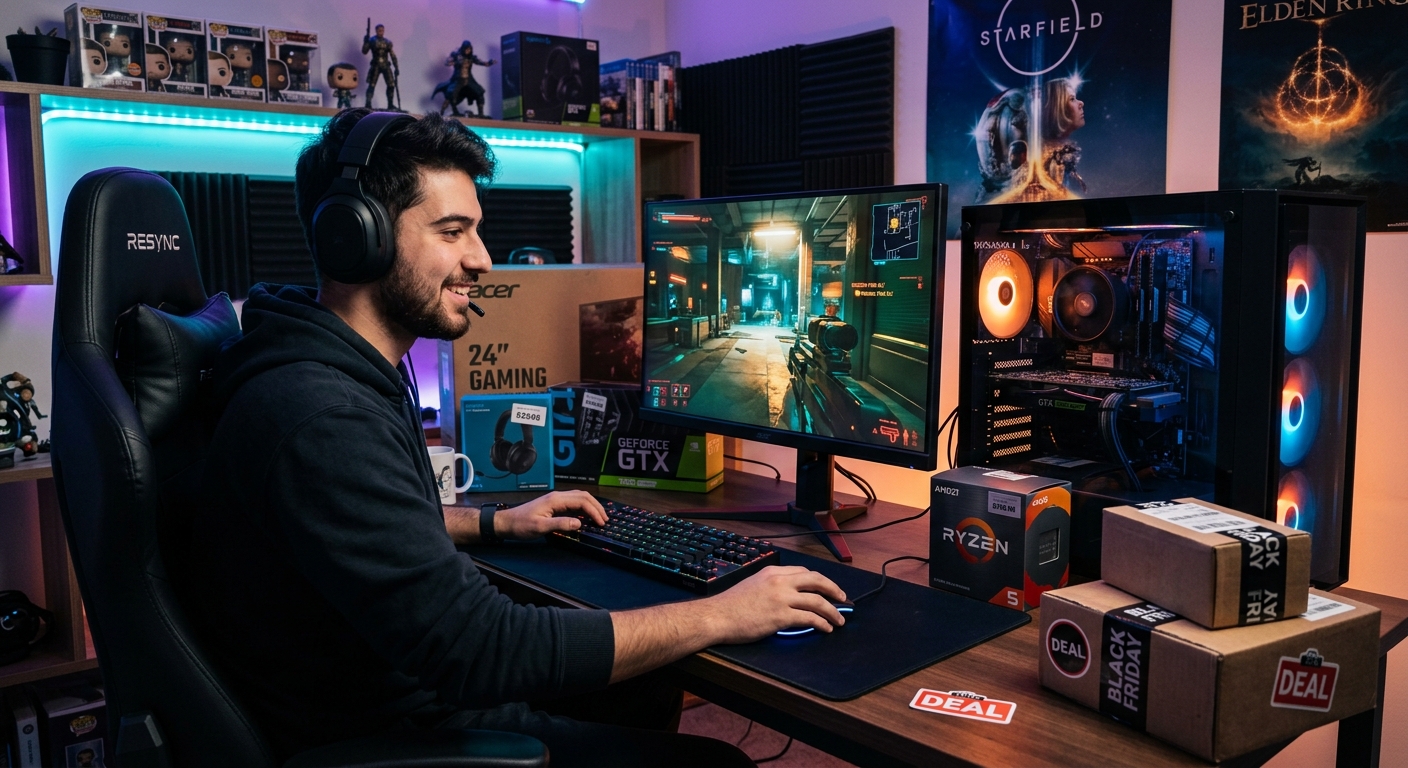
Black Friday is one of the few times each year when you can realistically upgrade your entire PC gaming accessory setup without draining your bank account. While top-tier keyboards, mice, and headsets can each cost more than $100 on their own, smart shoppers can assemble a complete starter kit for a fraction of that price during major sales.
This guide walks you through how to build a full gaming setup on a tight budget—focusing on a keyboard, mouse, and headset—using Black Friday discounts to squeeze the most value out of every dollar. It is inspired by coverage of affordable bundles and deals, but all recommendations here are generalized so you can apply them to whatever offers you find at your favorite retailers.
Why Black Friday Is Ideal for Budget Gaming Gear
Gaming peripherals tend to follow a predictable discount cycle: older models are marked down heavily when new generations launch, and store-wide sales like Black Friday add extra reductions on top. Several factors make this period particularly attractive for budget-conscious gamers:
- Deep discounts on prior-year models: Last year’s mechanical keyboards and gaming mice often receive aggressive markdowns when newer versions appear.
- Bundle pricing: Many brands and retailers offer combo deals that group keyboards, mice, and headsets at a lower combined price than buying individually.
- Competition between brands: Gaming-focused companies vie for holiday attention, which can translate into better prices and added freebies.
PC gaming hardware is often price elastic: demand is sensitive to perceived value, and retailers have learned that eye-catching entry-level deals can create long-term customers who eventually move up to higher-margin premium gear.1
Setting a Realistic Budget and Expectations
Before hunting for deals, define what “budget” means for you and set expectations accordingly. A sub-$70 bundle will not match the quality of high-end esports gear, but it can deliver a noticeably better experience than office equipment or decade-old peripherals.
What You Can Expect at the Low End
- Keyboards: Typically membrane or low-cost mechanical switches, basic RGB or single-color backlighting, and plastic construction.
- Mice: Entry-level optical sensors, sufficient DPI for casual gaming, and limited but usable side buttons.
- Headsets: Stereo sound with virtual surround options, a flip-down or detachable mic, and comfort that is acceptable for shorter sessions.
At this price range, trade-offs are normal. You are paying for core functionality rather than premium materials or advanced features such as hot-swappable switches or audiophile-grade drivers.
Where You Should Not Compromise
Even on a tight budget, there are some lines you should avoid crossing:
- Build quality so poor it feels disposable: Flexy chassis, rattling keys, or mice that feel hollow and creaky are a warning sign.
- Flaky connectivity or driver issues: Cheap wireless devices with frequent disconnects or unstable software can ruin games.
- Unusable microphone quality: If teammates cannot understand you, a cheap headset stops being a bargain.
Well-known manufacturers often publish detailed technical specs and software support pages, which can be a sign that even their budget lines maintain baseline quality standards.2
Choosing a Budget Gaming Keyboard
The keyboard is the centerpiece of any PC setup. On Black Friday, you will find everything from $10 office boards to discounted premium mechanical models with full RGB. To shop smart, focus on a handful of features that actually affect play.
Membrane vs. Mechanical at Lower Prices
Most low-cost combos include a membrane keyboard, which uses rubber domes under the keys rather than individual mechanical switches. Mechanical keyboards are usually more durable and provide clearer tactile feedback—but also cost more. However, Black Friday discounts can narrow the gap.
Here is how they compare for budget shoppers:
| Feature | Membrane Keyboard | Mechanical Keyboard |
|---|---|---|
| Feel | Softer, less defined | Crisper, more feedback |
| Durability | Shorter lifespan | Switches rated for tens of millions of presses |
| Noise | Generally quieter | Can be loud, depending on switch type |
| Price | Cheaper, common in bundles | More expensive, but steeply discounted on sales |
For a strict budget build, a decent membrane board with anti-ghosting and backlighting is perfectly serviceable. If a mechanical option falls within your price range during Black Friday, consider it a long-term investment.
Specs That Actually Matter on a Budget Keyboard
When scanning product pages and reviews, prioritize these points:
- Key rollover and anti-ghosting: At minimum, look for 6-key rollover or explicit “anti-ghosting” support on common gaming keys (WASD, number row, and modifiers).
- Backlighting: RGB looks cool but single-color backlighting is enough for playing in low light.
- Layout: Ensure it includes the keys you use: full-size with numpad or a compact tenkeyless design.
- Media controls: Even simple function-layer media keys are helpful for quick volume adjustment.
Technical documentation from established gaming brands often details rollover and switch ratings, which can help distinguish well-engineered budget options from generic models.2
Picking an Affordable Gaming Mouse
A poor mouse can hold back your performance more than almost any other accessory. Fortunately, optical sensor technology has matured enough that even inexpensive mice can track accurately for most gamers, as long as you avoid the lowest-quality outliers.
Understanding DPI and Sensor Quality
DPI (dots per inch) gets a lot of marketing attention, but more is not always better. Many mid-tier sensors already exceed what competitive players actually use; some professional players still prefer relatively low sensitivities based on personal comfort.3
For budget shopping, aim for:
- Adjustable DPI: A range between about 800 and 4,000 DPI is adequate for most use cases.
- Reliable tracking: Look for mention of an optical gaming sensor and avoid no-name “laser” sensors with acceleration issues.
- Polling rate: 1,000 Hz is ideal, but even 500 Hz is fine for casual play; anything lower may feel sluggish for fast shooters.
Shape, Weight, and Grip Style
Comfort should be your main concern. A feature-rich mouse is useless if it causes fatigue after an hour. Consider:
- Grip style: Palm, claw, or fingertip. Many budget gaming mice are designed for palm grip with a medium-to-large shell.
- Handedness: Southpaw players may want an ambidextrous shape; some low-cost mice are still right-hand-only.
- Weight: Ultra-light mice are popular in esports, but basic mice around 80–100 grams are often fine for everyday gaming.
Try to check user feedback specifically mentioning comfort during long sessions—this is one area where subjective reports are particularly helpful.
Buttons and On-Board Features
Even budget mice can offer thoughtful extras:
- Two side buttons: Very helpful for binding push-to-talk or in-game actions.
- On-the-fly DPI switch: Lets you change sensitivity between desktop and in-game use without opening software.
- On-board memory: Some models store DPI profiles and lighting directly on the mouse, handy if you use multiple PCs.
Finding a Low-Cost Gaming Headset That Doesn’t Sound Terrible
Headsets are often the hardest item to get right at a very low price point. Audio drivers, microphones, and comfort all cost money, and manufacturers must make tough compromises to hit budget price tags. Yet a decent cheap headset can still provide positional audio and clear voice chat.
Sound Quality Basics
Most gaming headsets use dynamic drivers in the 40–50 mm range, which is standard across a wide price spectrum. The difference at lower prices is tuning and build quality. Look for headsets that advertise:
- Stereo or virtual surround: True multi-driver surround sound is rare at budget prices, but virtual surround algorithms can still help with positional cues.4
- Closed-back design: Better noise isolation in noisy environments, at the cost of a slightly narrower soundstage.
- PC compatibility: USB or 3.5 mm connectors that work with your motherboard, laptop, or controller.
USB headsets often include built-in DACs and software features, while 3.5 mm models rely on your device’s audio output. Many gamers find USB options simpler for plug-and-play use on PCs.
Microphone and Communication
A budget gaming headset lives or dies by its microphone. No one expects studio-grade voice capture, but you should be clearly intelligible over in-game noise.
Consider headsets that mention:
- Noise reduction or noise cancellation: Some mic designs suppress background noise to keep your voice clearer, which can be particularly useful in voice chat.5
- Flexible boom or flip-up mic: This helps position the mic close to your mouth and move it aside when not needed.
- Mute controls: An in-line or on-cup mute switch is more convenient than digging through software menus.
Comfort for Long Sessions
Even if you only game a few evenings a week, you want a headset that does not feel like a clamp on your head. Inspect:
- Headband padding: A simple foam cushion can make a big difference over several hours.
- Ear cup material: Fabric tends to be cooler but may leak more sound; pleather isolates better but can get warm.
- Weight and clamping force: Heavier headsets or very tight bands can cause discomfort or headaches.
Reading Black Friday Listings Without Being Misled
Black Friday product pages are often full of marketing buzzwords. To separate genuinely good deals from filler, approach listings with a skeptical eye.
Red Flags to Watch For
- Missing basic specs: If the listing does not specify DPI ranges, key rollover, or driver size, the manufacturer may be hiding weak points.
- Overly generic branding: Products with seemingly random brand names, limited support pages, and no clear contact info can be risky.
- Unverified reviews: Be cautious if all the praise comes from poorly written or obviously generic feedback.
Evaluating Value with a Simple Checklist
When you find a keyboard, mouse, and headset bundle that appears promising, run it through this quick checklist:
- Does each item list key technical specs (e.g., switch type or rollover for the keyboard, DPI range for the mouse, driver size for the headset)?
- Is the brand recognizable or at least supported by an official website with downloadable drivers or manuals?
- Are there recent user reviews mentioning durability and comfort, not just “works great”?
- Is the discount compared to a realistic previous price rather than an inflated “list” price?
Sample Budget Allocation Strategy
Your exact spend will depend on what deals you find, but here is a sensible target breakdown for a very tight budget aiming at a full setup:
- Keyboard: 35–45% of budget
- Mouse: 25–30% of budget
- Headset: 30–40% of budget
Keyboards and headsets benefit the most from spending slightly more—keyboards for durability and feel, headsets for sound and comfort. Mice have reached a level where even cheaper models can provide excellent tracking, so long as they use decent sensors.
Frequently Asked Questions
Can a very cheap gaming bundle really be worth it?
Yes, as long as it clears a few minimum quality thresholds. If the keyboard does not miss keystrokes, the mouse tracks reliably, and the headset’s mic is intelligible, a low-cost combo can be a massive upgrade over aging office hardware. Over time, you can upgrade individual pieces while keeping the others from the bundle.
Should I prioritize one accessory over the others?
If you have to overspend slightly on a single item, prioritize the mouse for competitive shooters or the headset for cooperative and team-based games. In story-driven or strategy titles, the keyboard and headset may matter more for comfort and immersion than the mouse’s cutting-edge sensor.
Is wireless gear a bad idea on a tight budget?
Not necessarily, but you should be careful. Affordable wireless keyboards and mice may introduce latency or battery issues if they cut corners on components. If you value reliability above all and have limited funds, wired options are generally safer and cheaper.
Do I need software customization for my peripherals?
Software can enable macros, lighting control, and custom DPI profiles, but it is not strictly necessary for fun, responsive gaming. On a budget, plug-and-play devices with sensible defaults are often preferable to complex software suites that demand frequent updates.
How long will budget peripherals last?
Lifespan depends heavily on build quality and usage intensity. Mechanical switches, when present, are often rated for tens of millions of actuations, while mice and headsets might last several years with moderate use. However, at very low prices, things like cable strain relief and hinge sturdiness become critical—check user feedback to gauge durability.
Practical Shopping Tips for Black Friday
To wrap up, here is a practical roadmap for the day you sit down to hunt Black Friday gaming deals:
- List your must-haves and nice-to-haves: For example, backlighting and a decent mic might be mandatory, while full RGB sync is optional.
- Compare across multiple retailers: Big electronics stores, official manufacturer sites, and reputable online shops often run competing deals.
- Check return policies: In case a headset does not fit well or a mouse shape feels wrong, a flexible return window is invaluable.
- Buy early in the sale window: The best value items and bundles often sell out, particularly in popular price brackets.
A carefully chosen budget bundle can deliver a surprisingly polished gaming experience. By understanding which specs matter, you can sort genuine bargains from forgettable flash deals and walk away with a complete setup that makes your games more comfortable, responsive, and immersive—without spending more than you planned.
References
- PC Gaming Hardware Market Report, 2021–2026 — Jon Peddie Research. 2021-10-15. https://www.jonpeddie.com/press-releases/the-pc-gaming-hardware-market-continues-to-expand/
- G HUB & Gaming Software Support — Logitech G (Logitech). 2025-03-01 (last updated). https://www.logitechg.com/en-us/innovation/g-hub.html
- How Pros Set Their DPI — Logitech G (Logitech). 2023-06-12. https://www.logitechg.com/en-us/news/how-pros-set-their-dpi.html
- Gaming Headsets vs. Headphones — Razer Inc. 2024-01-05. https://www.razer.com/gaming/headsets/articles/gaming-headsets-vs-headphones
- Noise-cancelling Microphone Technology Overview — Intel Corporation. 2023-09-20. https://www.intel.com/content/www/us/en/wireless-products/noise-cancellation-technology.html
Similar Articles








Read full bio of Sneha Tete