How to Choose a VPN for Gaming
Understand latency, bandwidth, security, and features so you can choose a VPN that improves gaming instead of slowing it down.
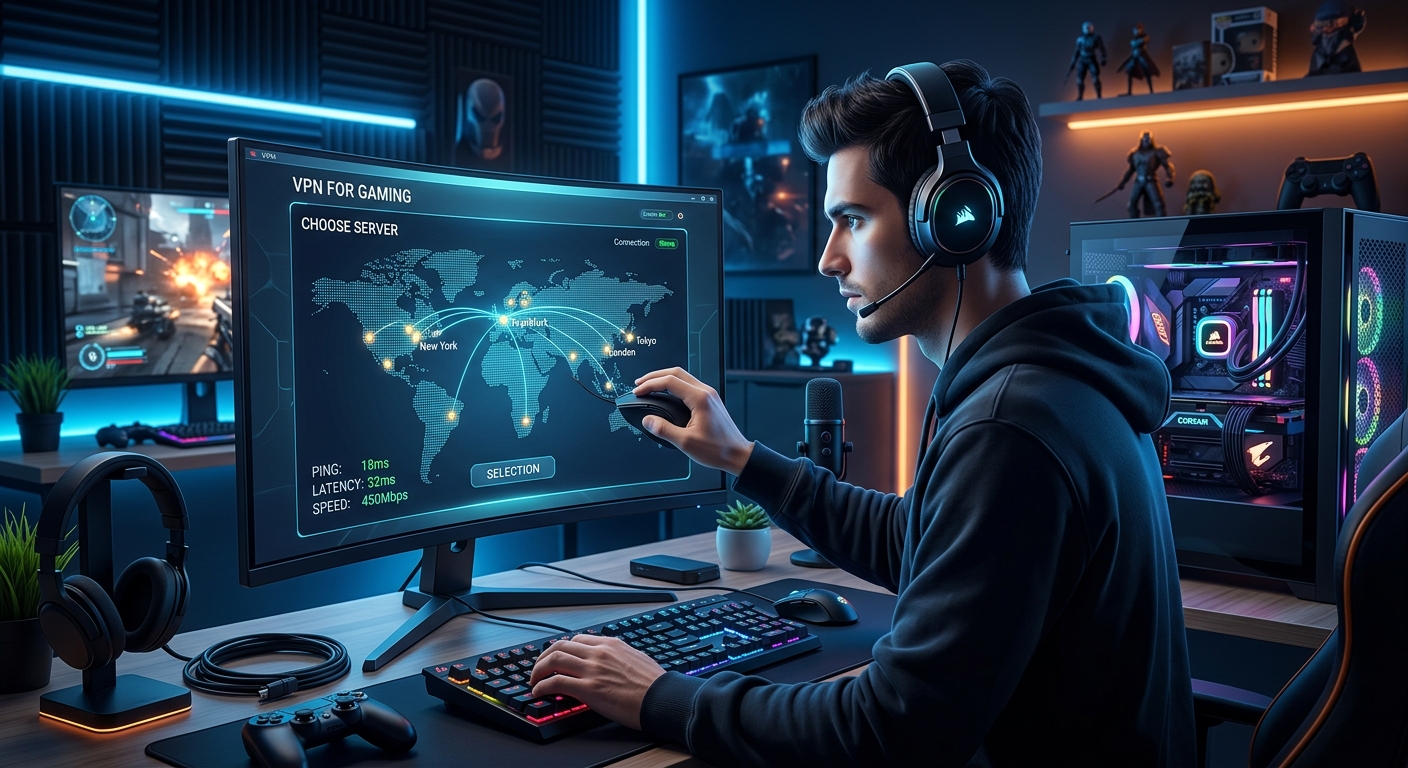
Virtual private networks (VPNs) used to be a niche privacy tool, but they are now a common part of many gamers’ setups. The right VPN can shield you from attacks, bypass unfair throttling, and help you access friends and content around the world. The wrong one, however, can cripple your ping and ruin competitive matches. This guide explains how VPNs interact with online games and what you should look for before subscribing.
Why Gamers Use VPNs in the First Place
Before digging into specific features, it helps to be clear about what a gaming VPN can (and cannot) do. A VPN creates an encrypted tunnel between your device and a remote server, then routes your traffic through that server. That basic mechanism leads to several practical benefits for players.
Potential Advantages
- DDoS and IP exposure protection: Hiding your real IP address can make it harder for attackers to flood your connection during heated matches.
- Workarounds for ISP throttling: Some internet providers slow down specific types of traffic. Encrypted VPN tunnels can make that traffic harder to classify.
- Access to different regions: You may be able to join servers, play with friends, or see game content that is normally limited to other countries.
- Extra privacy: Your ISP and local network operators see less of what you do, which is useful on shared or public connections.
Realistic Limitations
A VPN does not magically speed up a bad connection, and it cannot fix issues that originate inside a game’s own servers. Because your traffic now travels an extra hop (device → VPN server → game server), a VPN almost always adds some latency. The trick is finding a service where that overhead is small enough that the benefits outweigh the costs.
Understanding Latency, Ping, and Jitter
For online games, latency is the most critical performance metric. In simple terms, latency is the time it takes for data to travel from your device to the server and back. Games usually display this as ping in milliseconds (ms).
Why Latency Matters More than Raw Speed
Most multiplayer titles use relatively little bandwidth compared with streaming video. Once your connection is fast enough to send and receive game packets, shaving another 100 Mbps off your speed makes no difference. The crucial factor is how quickly those packets travel.
High latency or unstable latency (called jitter) manifests as:
- Delayed responses to your input (you shoot, but it registers late).
- Rubber-banding or teleporting players.
- Disconnections in more severe cases.
How VPNs Influence Ping
A VPN adds a middleman to the route. If the VPN server is physically far from you or the game server, you can see a sharp increase in ping. In some situations, however, a VPN may take a more efficient route across the internet backbone, producing similar or occasionally slightly better latency compared with your direct connection.
When evaluating providers, prioritize:
- Low, consistent ping to key regions: Test servers located near the game’s data centers you use most frequently.
- Minimal jitter: A stable 40 ms is typically better for gaming than a ping bouncing between 20 ms and 80 ms.
Server Locations and Network Design
VPN marketing often focuses on raw server count and number of countries. Those numbers are not meaningless, but they do not tell the full story for gaming.
Choosing the Right Regions
Gamers usually care less about obscure locations and more about reliable coverage in a few key areas:
- Your own region: To minimize latency, you generally want a server in your country or a neighboring one.
- Game server regions: If your favorite title hosts its servers in specific cities or countries, look for VPN servers in those same places.
- Friends’ locations: If you regularly play with teammates on another continent, you may wish to experiment with connecting via their region.
Network Capacity and Congestion
Even if a VPN has servers near you, they can still perform poorly if the provider oversells capacity. When many users share the same nodes, you may see evening slowdowns, jitter, or spikes in ping. The only reliable way to check is to test during your typical gaming hours using free trials or money-back guarantees.
| Factor | Why It Matters | What to Look For |
|---|---|---|
| Physical proximity | Shorter distances usually reduce ping. | Servers in or near your city or game region. |
| Network capacity | Overloaded servers increase lag and jitter. | Consistent performance at peak times. |
| Routing quality | Some providers have better peering with ISPs and backbones. | Stable ping to major data centers. |
Bandwidth, Speed, and Data Limits
While bandwidth is less crucial than latency for real-time responsiveness, it still matters for modern gaming habits, especially if you stream or download large patches.
Throughput for Gameplay and Streaming
Most online games function comfortably within modest speeds, but combining gaming with high-resolution streaming (either watching or broadcasting) changes the equation. If you stream on platforms like Twitch or YouTube while connected to a VPN, your upload speed needs to be strong and stable.
When comparing services, check for:
- Unthrottled bandwidth: Some low-end VPNs artificially limit speed or prioritize certain traffic types.
- No data caps: Unlimited data is preferable if you regularly download large updates over the VPN.
Security Features That Matter for Players
A VPN’s main job is to provide confidentiality and integrity for your traffic. Leading standards bodies such as the Internet Engineering Task Force emphasize the role of encrypted tunnels in protecting data from eavesdropping and tampering.1 For gamers, a few specific security features are especially important.
Encryption and Protocols
Modern VPNs typically use protocols like OpenVPN, WireGuard, or IKEv2 with strong cryptography such as AES or ChaCha20.2 You do not need to become a cryptographer, but you should verify that the service offers at least one well-regarded, up-to-date protocol rather than outdated options that can be vulnerable.
- OpenVPN: Widely supported, secure, but can be heavier on CPU and slightly slower.
- WireGuard: Newer, built to be lean and fast, often providing better performance on gaming devices.
- IKEv2: Stable and reconnects quickly, which is useful on mobile connections.
Protection Against DDoS and Other Attacks
In some competitive communities, targeted distributed denial-of-service (DDoS) attacks against players are a real problem. Because a VPN masks your home IP address, attackers who obtain your session details usually hit the VPN server instead of your router. Many providers have network-level defenses to absorb those floods.
Look for:
- Dedicated anti-DDoS infrastructure or explicit mention of DDoS mitigation on their network.
- Kill switch functionality, which automatically cuts traffic if the VPN drops, so your real IP is not leaked mid-match.
Privacy Policies and Logging
Even if your main concern is gaming, a VPN still handles all your traffic while it is connected. It is worth examining how the provider treats your data. Independent testing and consumer guidance from organizations like the U.S. Federal Trade Commission stresses the importance of understanding what information a VPN retains and how it uses it.3
Prefer services that:
- Clearly outline what they log (or do not log).
- Have undergone independent audits of their infrastructure or policies, if possible.
- Are transparent about jurisdiction and legal obligations.
Compatibility with Consoles, PCs, and Mobile Devices
Another practical consideration is how easily the VPN fits into your existing setup. Gaming happens across PCs, consoles, handhelds, and phones, and not all of them support VPN apps natively.
PC and Laptop Gaming
On Windows, macOS, and Linux, you typically install a dedicated VPN client, choose a server, and connect. Most mainstream services handle this well. If you run a lot of background software (voice chat, overlays, streaming tools), check whether the client lets you choose which apps use the VPN using a feature often called split tunneling.
Consoles and Smart TVs
Gaming consoles like PlayStation, Xbox, and many Nintendo systems do not run VPN apps directly. Instead, you have a few options:
- Router-level VPN: Configure your home router to connect to the VPN so all devices share the tunnel.
- PC as a gateway: Connect the console through a computer that is running the VPN and sharing its connection.
Router support varies widely. Before committing to a VPN, confirm that it offers clear documentation (or custom firmware configurations) for your router model.
Mobile Devices
On phones and tablets, you normally use official apps from the iOS App Store or Google Play. For cloud gaming services or mobile titles, pay attention to battery usage and performance impact when the VPN is active.
QoS, ISP Throttling, and Realistic Performance Expectations
Internet service providers sometimes manage their networks by slowing certain traffic types or heavy users, a practice often described as throttling. While specific policies differ by country and provider, consumer advocates and regulators have documented cases where streaming or peer-to-peer traffic was treated differently from ordinary web browsing.4
Because a VPN encrypts traffic, it can make it harder for ISPs to detect and selectively slow your gaming packets. However, this is not guaranteed: providers can still throttle all encrypted traffic if they choose, and some already do during congestion.
Manage your expectations by:
- Testing your connection with and without the VPN at similar times of day.
- Trying different VPN protocols, which may be treated differently by your ISP.
- Remembering that if your base connection is poor, a VPN cannot fix fundamental line issues.
Extra Features that Can Help Gamers
Beyond core speed and security, a few quality-of-life features can make a VPN more pleasant to use in a gaming environment.
- Quick-connect and favorites: Easily jump back to your best-performing servers before each session.
- Split tunneling: Route only specific apps (like your game) through the VPN while leaving others on the normal connection.
- Custom DNS: Change DNS servers to improve reliability or avoid certain connection issues.
- Multi-device support: Use the same subscription on your gaming PC, console (via router), and mobile devices.
How to Test a VPN for Gaming
No set of specifications can fully replace hands-on testing. Most reputable VPNs offer limited free trials or money-back guarantees that allow you to evaluate performance with your actual games and hardware.
Step-by-Step Testing Checklist
- Measure your baseline: Record ping and jitter to your favorite game servers without a VPN.
- Connect to nearby VPN servers: Pick servers in your country or near the game’s data center.
- Compare in-game stats: Note changes in ping, packet loss, and overall feel (input delay, rubber-banding).
- Test during peak hours: Play at the times you normally game, when congestion is more likely.
- Experiment with protocols: If available, test WireGuard-style and OpenVPN connections for differences.
- Check stability: Look for random disconnects or sudden spikes in latency.
Common Mistakes to Avoid
Gamers often approach VPNs with unrealistic expectations or misunderstandings. Avoid these frequent errors:
- Assuming a VPN will always lower ping: In many cases, it will slightly increase it. The goal is to keep that increase small and stable.
- Choosing based only on server count: A giant list of locations is less important than nearby, uncongested servers with good routing to your games.
- Ignoring privacy policies: Even if you use a VPN mainly for games, you are still trusting it with a lot of traffic.
- Overlooking compatibility: Confirm that the VPN works with your console or router before purchasing a long subscription.
Quick Comparison: Gaming Priorities vs. General VPN Use
| Aspect | Gaming Priority | Typical General Use Priority |
|---|---|---|
| Latency (ping) | Critical | Moderate |
| Server proximity | Critical | Useful but less crucial |
| Bandwidth | Important for streaming and downloads | Important for 4K video and large transfers |
| Security strength | Important | Critical for privacy-sensitive users |
| Anti-DDoS features | High priority for competitive players | Low priority |
FAQs About VPNs and Gaming
Will a VPN always make my ping worse?
Almost every VPN introduces some additional latency because your traffic takes a longer path. The key question is whether that extra delay is small and consistent enough that you do not notice it in play. Sometimes, if your ISP routes traffic poorly, a good VPN can provide a more direct route and produce similar or slightly better ping, but that is the exception, not the rule.
Can I get banned from games for using a VPN?
Most online games do not ban players solely for using a VPN, especially when it is used for privacy or security. However, some titles restrict VPN use if it is associated with fraud, botting, or bypassing regional rules. Always review the game’s terms of service and understand that using a VPN to evade regional pricing or account restrictions may violate those terms.
Is a free VPN good enough for gaming?
Free VPNs often impose strict bandwidth limits, have fewer servers, and may be congested, all of which are bad for latency-sensitive applications like multiplayer games. In some cases, they also rely on aggressive data collection or advertising. For regular gaming, a reputable paid service with transparent policies and strong performance is generally safer and more reliable.
Should I use a VPN on my router or just on my PC?
Running the VPN on your router covers all devices automatically, including consoles that cannot run VPN apps. The trade-off is that router hardware sometimes struggles with high-speed encryption, potentially reducing your maximum throughput. Installing the VPN on your PC gives you more control over which apps are protected and can deliver better speeds, but it does not protect other devices unless you share the connection.
Is a gaming VPN worth it if I only play casually?
For casual players who rarely encounter connection issues or harassment, a VPN is not strictly necessary. It becomes more appealing if you play competitively, have had problems with IP-based attacks, want to access other regions, or already use a VPN for general privacy and streaming. In those cases, choosing a provider that handles games gracefully adds extra value.
Key Takeaways
Choosing a VPN for gaming is about balancing performance and protection. Focus first on latency and stability, then ensure that the service offers solid security, reasonable privacy, and practical features for your devices. Leverage trials and guarantees to test with your real games on your real connection. With a bit of experimentation, you can find a setup that protects your connection without sacrificing your K/D ratio.
References
- Security Architecture for the Internet Protocol — Internet Engineering Task Force (IETF). 2005-12. https://datatracker.ietf.org/doc/html/rfc4301
- The WireGuard VPN Protocol — WireGuard. 2023-05-19. https://www.wireguard.com/protocol/
- Selecting a VPN: What to Look For — Federal Trade Commission (FTC). 2021-08-23. https://consumer.ftc.gov/articles/selecting-vpn-what-look
- Internet access services: retail market review — Body of European Regulators for Electronic Communications (BEREC). 2020-06-05. https://berec.europa.eu/eng/document_register/subject_matter/berec/reports/9462-internet-access-services-retail-market-review
Similar Articles








Read full bio of medha deb