Pokemon Pokopia Mystery Gift Codes Guide
Learn every current Pokemon Pokopia Mystery Gift code, how to claim them, and avoid missing time-limited rewards.
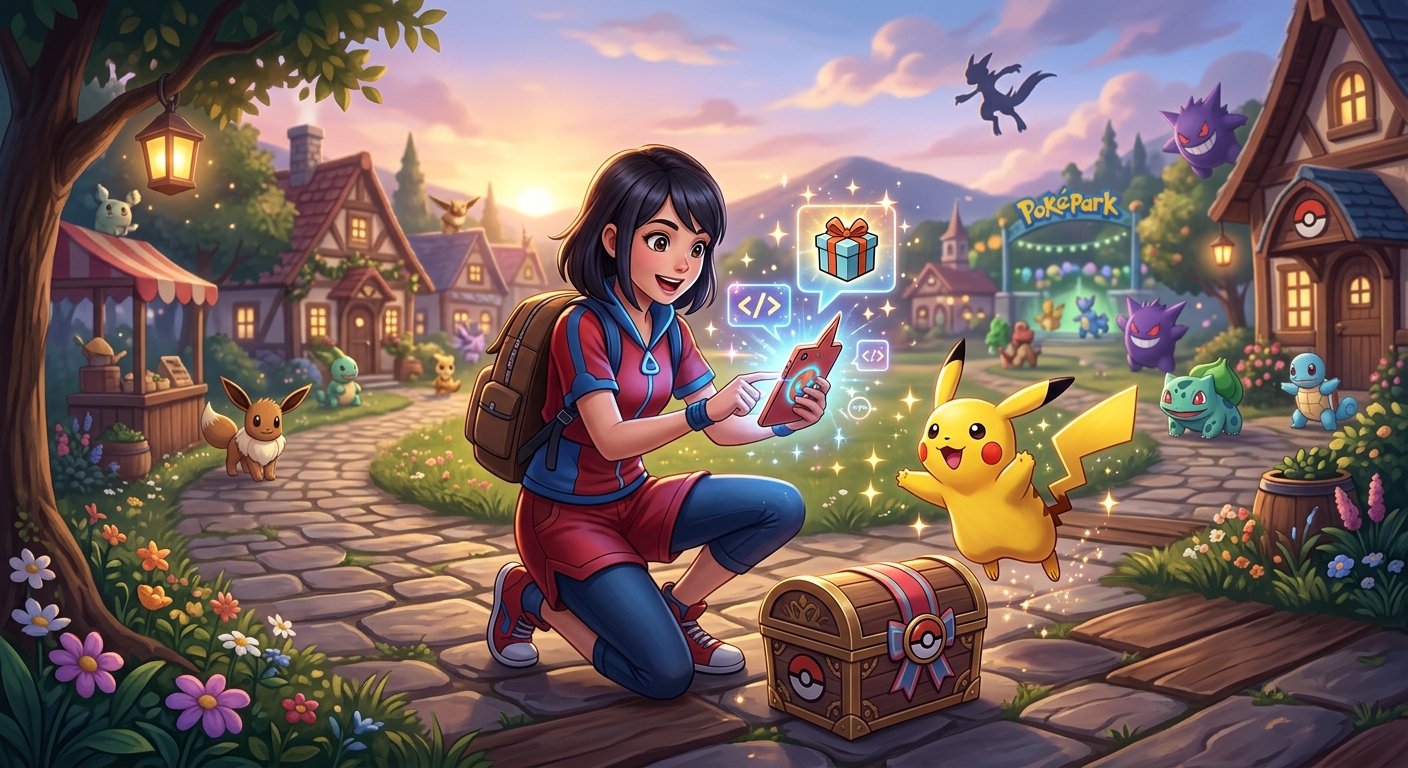
Pokemon Pokopia adds a steady trickle of free items through the Mystery Gift system, from decorative furniture to handy consumables for growing crops and keeping your partner Pokemon happy. These rewards are easy to miss, though, because they are often tied to limited-time campaigns and serial codes that eventually expire.
This guide rounds up the currently known Mystery Gift codes and internet distributions, explains how to unlock and use the feature on Nintendo Switch 2, and walks you through common problems such as error messages or expired gifts. Use it as a central reference whenever you want to check whether there is a new present waiting at your in-game PC.
What Mystery Gifts Are in Pokemon Pokopia?
In Pokemon Pokopia, Mystery Gifts are bonus items delivered directly to your save file over the internet or via one-use serial codes. They are part promotional campaign and part early-access reward, giving players cosmetic decorations and consumable materials that can also be obtained through normal gameplay later on.
Most Mystery Gifts fall into one of three broad categories:
- Decor and furniture – Unique objects that you can place in your home, like rugs or plants themed around specific Pokemon.
- Farming and cooking materials – Berries, vegetables, and beans that speed up your early resource gathering.
- Launch or campaign bonuses – Packs distributed to celebrate the game’s release or special marketing events, often available for months at a time.
These items do not gate core story content, but they can provide a pleasant boost at the start of your adventure and let you customize your living space sooner than usual. Official Nintendo support notes that it takes roughly 30 minutes of play before you unlock access to Mystery Gift via the in-game PC, so do not worry if the option is not visible immediately after starting a new save .
Active Pokemon Pokopia Mystery Gift Codes
The exact list of active gifts changes regularly as events begin and expire. The table below summarizes the most notable early distributions that many players will want to claim. Check in-game descriptions and official announcements for the latest dates and additional regional events.
| Gift Name | Type | Redemption Method | Basic Reward | Availability Window* | Notes |
|---|---|---|---|---|---|
| Ditto Rug | Home Decoration | Get via Internet | One Ditto-shaped rug for your home | Early purchase period (until Jan 31, 2027) | Early buyer bonus; also obtainable later via gameplay |
| Chansey Plant | Home Decoration | Serial Code | One decorative plant themed after Chansey | Until Oct 7, 2026 | Distributed via promotional campaign serial code |
| Pokopia Release Commemorative Gift Set | Item Bundle | Serial Code | 2 Leppa Berries, 2 Fresh Carrots, 2 Beans | Redemption through Feb 28, 2027 | Code shared via an official Pokemon social media campaign |
*Exact dates may vary depending on your region and distribution campaign. Always verify expiry dates in the game or via official announcements before relying on an older code.
How These Gifts Help Your Early Game
- Ditto Rug: Purely cosmetic, but a fun way to personalize your home and showcase that you grabbed the early purchase bonus.
- Chansey Plant: Another decorative piece. These items let you creatively theme rooms around different Pokemon.
- Commemorative Gift Set: The berries and vegetables can be used for farming, cooking, or caring for Pokemon earlier than you might otherwise be able to, making the early few hours smoother.
Unlocking the Mystery Gift Feature
You cannot access Mystery Gifts from the moment you boot up Pokemon Pokopia. The system becomes available after you reach the first PC in town and complete a short introduction to the game’s core loop. According to Nintendo’s official guidance, this takes about half an hour of regular play .
Here is the general sequence to expect on a new file:
- Start the game and finish the opening story segment and tutorials.
- Progress until the first in-town PC becomes usable.
- Complete at least one early challenge or mission, as prompted by the game.
- Interact with that PC and select the item-related menu to see the Mystery Gift option appear.
Once Mystery Gift is unlocked, it remains available for the rest of that save file. You can return to the PC as often as you like to check for new gifts, redeem codes, or review which presents you have already claimed.
Requirements Before You Can Redeem Gifts
While Mystery Gifts themselves are free, you must satisfy a few technical and account-related conditions before the game will let you claim them. Nintendo summarizes the essentials in its official support instructions for Pokemon Pokopia Mystery Gifts . Below are the key points, expressed in plain language:
1. Internet Access
Mystery Gifts are delivered over the internet, even when you are using a code. You will need:
- A home or mobile Wi‑Fi network with a stable connection.
- Your Nintendo Switch 2 placed reasonably close to the router (Nintendo recommends within about 10 feet for a strong signal) .
If your console is offline, you can still play Pokemon Pokopia normally, but Mystery Gift options will fail to connect when you try to claim rewards.
2. Nintendo Account Link
Your user profile on Nintendo Switch 2 must be linked to a Nintendo Account. This is standard across online features on the platform and ensures that items are tied to a specific user. Nintendo notes that you do not need an active Nintendo Switch Online subscription just to receive Mystery Gifts in supported Pokemon games, although a linked account is still required .
3. Enough Play Time to Reach a PC
As mentioned earlier, it takes roughly 30 minutes of gameplay to reach the point where you can use a PC at a Pokemon Center or town hub. Before that, the Mystery Gift menu simply is not available, even if you are online and have a working code.
Step-by-Step: How to Claim Pokemon Pokopia Mystery Gifts
Once you meet the requirements, redeeming Mystery Gifts is straightforward. The interface is designed to be similar to previous mainline Pokemon games and uses a simple menu flow from the PC screen. The official Nintendo walkthrough lays out these steps clearly, and the process in Pokopia follows the same general pattern .
General Access to the Mystery Gift Menu
- Launch Pokemon Pokopia from the Nintendo Switch 2 HOME Menu.
- Press the A Button at the title screen to reach your save file.
- Walk to the PC in your current town (usually located near or inside the Pokemon Center).
- Press A to interact with the PC.
- Select Get Items from the PC options.
- Choose Mystery Gifts from the subsequent menu.
At this point, the game will ask how you want to receive the gift.
Method 1: Get via Internet
Use this method for gifts like the Ditto Rug that do not require a code and simply appear as available distributions.
- From the “How do you want to receive the gift?” screen, select Internet.
- Choose Get via Internet. The game will connect online.
- Wait a moment as it retrieves a list of available internet gifts.
- Highlight the gift you want (for example, the Ditto Rug) and confirm.
- Watch the short animation as the gift is delivered. The game will automatically save after the item is received .
Method 2: Get with Code/Password
Use this method for serial codes distributed via events, promotional campaigns, or social media posts. Codes are usually one-time use per save.
- From the Mystery Gifts menu, select Code/Password.
- Choose Get with Code/Password. The game will connect to the internet.
- Enter the serial code exactly as displayed, paying attention to numbers, letters, and any dashes.
- Confirm the entry and wait for the game to verify the code.
- If valid and unclaimed, the associated gift will begin downloading. Let the animation finish.
- The game saves automatically once the gift is added to your inventory .
Checking Which Gifts You Already Claimed
It can be hard to remember whether you redeemed a specific distribution, especially for long-running events like the early purchase rug. To avoid confusion, you can use the Mystery Gift menu’s status option:
- From the PC > Get Items > Mystery Gifts screen, select any option labelled along the lines of Check Mystery Gifts or similar wording.
- The game will display which gifts are available or already claimed on your save.
If you re-enter a serial code you have already used, the game will typically inform you that the code has already been redeemed and will not grant another item.
Tips for Not Missing Limited-Time Mystery Gifts
Because most Mystery Gifts are tied to promotion windows, it can be easy to miss a favourite decoration or useful consumables if you take a long break from the game. The following strategies will help you stay current without having to constantly check multiple news feeds.
Log In After Major Pokemon Announcements
Mystery Gift campaigns often launch alongside major franchise events, such as Pokemon Day, game anniversaries, or large update releases. When you see announcements about new Pokemon games or content on official channels like The Pokemon Company website or Nintendo Direct presentations, make a habit of opening Pokopia and checking the PC shortly afterwards.
Follow Official Social Media Accounts
Serial codes for bundles like the Pokopia Commemorative Gift Set are frequently distributed through official social media campaigns. The Pokemon Company runs regional X (formerly Twitter) accounts, which it also uses to share codes for other Pokemon titles. For example, The Pokemon Company notes that certain promotional distributions are limited to followers or participants in specific posted campaigns .
Create a small routine:
- Follow the relevant official account for your region.
- Bookmark posts that mention “serial code” or “gift set.”
- Redeem codes in-game soon after they are shared, rather than waiting until the end of the campaign period.
Set Calendar Reminders for Expiry Dates
When you pick up a new code or see an announcement about free items, note the final redemption date and drop a quick reminder into your calendar app. Many codes last for months, which makes them easy to forget until the window closes. A quick reminder a week before expiry ensures you still collect the reward if you take a break from the game.
Understand That Many Gifts Are Early Access
Some players feel pressured to redeem every single promotion for fear of missing exclusive content. While there are sometimes truly limited items, many Mystery Gifts in Pokopia seem designed as early-access boosts rather than permanently missable content. For example, official notes about item bundles and decorations often stress that the same items can be acquired through normal gameplay as well .
That said, décor variants and certain cosmetic-only rewards may not have identical equivalents, so collectors will still want to keep a close eye on those.
Common Mystery Gift Problems and Fixes
Even when you follow the instructions correctly, a few recurring problems can prevent you from receiving Mystery Gifts. Here are the most frequent issues and what you can do about them.
Can’t Connect to the Internet
If the game fails to connect when you choose “Get via Internet” or “Get with Code/Password,” you will typically see an error message. Nintendo’s networking support pages recommend these basic checks for Switch-family consoles :
- Move your console closer to your router to reduce signal interference.
- Verify that other devices at home can connect to the same Wi‑Fi network.
- Restart your router, wait a minute or two, then try again.
- On the console, open System Settings > Internet > Internet Settings and ensure the correct SSID and password are selected .
If error codes persist, you can look them up on the official Nintendo support site for more specific troubleshooting tailored to that error number.
Serial Code Shows as Invalid
When the game says a code is invalid, consider the following:
- Typos: Double-check that every character matches. It is easy to confuse letters such as O and 0 or I and 1.
- Expired campaign: Many codes only work within a particular date range. Confirm the redemption window from the original announcement.
- Region lock: Some distributions are region-specific. Codes from another country’s campaign may not work on your regional game version.
- Already redeemed: If the code was used once on that save file, it cannot be reused.
Gift Not Appearing in Inventory
If the animation plays but you cannot find the new item, try these checks:
- Review the in-game text to confirm which item category the gift belonged to (decoration versus consumable).
- Look through home decoration menus for rugs and plants if the gift was cosmetic.
- Search your storage or bag tabs for berries, vegetables, and beans awarded by item bundles.
- Save and restart the game. In rare cases, reloading your save can update the inventory display.
If the item still seems missing, capture a screenshot of the Mystery Gift confirmation message and contact Nintendo’s support with as much detail as possible. Official support channels routinely handle in-game delivery questions and may offer specific guidance.
Frequently Asked Questions
Do I need Nintendo Switch Online to use Mystery Gifts in Pokemon Pokopia?
No paid Nintendo Switch Online membership is required to receive Mystery Gifts, according to Nintendo’s general guidance for Pokemon titles that use similar systems . You do, however, need an internet connection and a Nintendo Account linked to your user profile.
Can I use the same serial code on multiple save files?
Most serial codes are limited to one use per save file, and in many cases, one use per Nintendo Account. Once redeemed, you cannot enter the same code again to duplicate the reward on that particular save.
Are Mystery Gift items pay-to-win?
Current Mystery Gifts in Pokemon Pokopia focus on decorations and modest item bundles, such as berries and vegetables obtainable through normal gameplay later on. They may smooth out the early hours but are not required to progress or complete the game. This mirrors the design of Mystery Gift distributions in earlier mainline Pokemon games, where gifts were largely optional bonuses rather than competitive advantages.
Can I still get the Ditto Rug or other early purchase bonuses if I buy the game late?
As long as the internet distribution window is still open in your region, you can redeem early purchase bonuses even if you did not buy the game on launch day. Once the posting end date has passed, however, the Mystery Gift will no longer be available via internet; you will need to unlock similar decorations through standard in-game methods if they exist.
Where do I find new codes when they are announced?
New Mystery Gift serial codes are typically shared via:
- Official Pokemon and Nintendo websites.
- Regional X (Twitter) accounts managed by The Pokemon Company or Nintendo.
- Occasional live events, trailers, or partner campaigns.
Be cautious of unofficial third-party postings that do not link back to a verifiable official source, especially if they ask you to share personal information. Codes themselves are always free and do not require any external registration beyond the standard Nintendo Account.
Final Thoughts
Mystery Gifts in Pokemon Pokopia are a simple way to pick up extra decorations and items while celebrating the game’s launch and ongoing events. By understanding how the system works, keeping an eye on official announcements, and redeeming codes promptly, you can maintain a well-stocked farm and a cozy home without spending anything extra.
Check your in-game PC periodically, especially around major Pokemon dates and updates, and you will rarely miss a free gift. Even if you skip a campaign or two, remember that most items can still be earned through normal play, so enjoy the bonuses you do collect without worrying that your adventure is incomplete without them.
References
- How to Troubleshoot a Nintendo Switch Console with Internet Issues — Nintendo Support. 2023-05-10. https://en-americas-support.nintendo.com/app/answers/detail/a_id/22272
- List of All Mystery Gifts and Codes | Pokemon Pokopia — Game8 (citing official campaign details). 2026-03-05. https://game8.co/games/Pokemon-Pokopia/archives/584427
- How to Receive a Mystery Gift (Pokémon Pokopia) — Nintendo Support. 2026-03-05. https://en-americas-support.nintendo.com/app/answers/detail/a_id/71351/
Similar Articles








Read full bio of medha deb