Quest 3 Bluetooth Audio Woes: Fixes and Alternatives
Bluetooth earbuds lag on Meta Quest 3 during gaming, but low-latency dongles, wired options, and built-in speakers make it no big deal for most users.
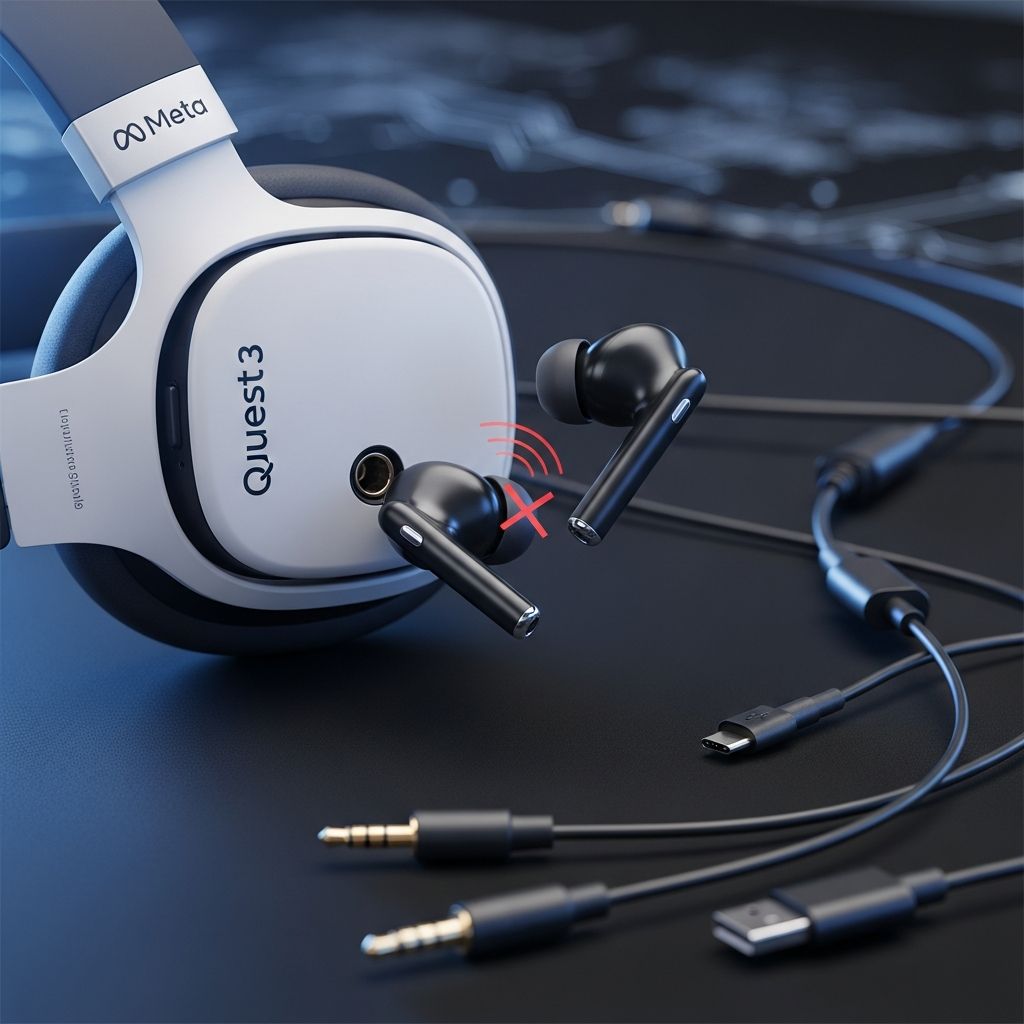
Standard Bluetooth earbuds deliver noticeable audio lag on the Meta Quest 3 during gaming, disrupting immersion with delays of one to two seconds between visuals and sound. However, low-latency alternatives like USB-C dongle earbuds, wired connections, and the headset’s strong built-in speakers provide reliable audio without major compromises.
Understanding Audio Latency in VR Headsets
Audio latency refers to the delay between visual events in a VR game and the corresponding sound, which can break immersion in fast-paced titles like Beat Saber or Half-Life: Alyx. On the Quest 3, Bluetooth 5.2 support allows pairing earbuds via Settings > Bluetooth > Pair New Device, but standard modes introduce lag unsuitable for gaming. Firmware updates in 2024 and the May 2025 Bluetooth LE Audio addition aimed to improve this, yet games still trigger reconnections and persistent delays.
Low-latency modes on some earbuds, activated via mobile apps, fail to transfer to the Quest environment since the headset lacks app access for such configurations. This forces users to seek specialized hardware for synchronized audio.
Why Built-in Speakers Excel Despite Bluetooth Shortcomings
The Quest 3 features high-quality 3D spatial audio speakers that deliver immersive sound without accessories, positioning virtual noises accurately around the user. These speakers handle directional cues effectively, making them viable for most gaming sessions and eliminating latency concerns entirely.
For private play, they suffice in quiet environments, though noise-canceling wireless options remain desirable for deeper immersion. Meta’s design prioritizes this built-in solution, reducing reliance on flawed Bluetooth.
Top Low-Latency Earbud Recommendations for Quest 3
Several earbuds bypass Bluetooth issues using 2.4GHz USB-C dongles for under 20ms latency, ideal for VR.
- IAMJOY Gaming Earbuds: Achieve 20ms latency via dongle, with Bluetooth 5.3 for multi-device use and 35 hours total battery (6 hours per charge plus case). Dual connectivity allows seamless switching between Quest and phones.
- PrismXR Vega T1: No-latency performance on Quest 3 via USB-C dongle, plus Bluetooth for versatility; praised for audio quality and value across platforms.
- Soundcore by Anker Wireless VR Earbuds: Official Meta-compatible with 2.4GHz and L3C codec, though passthrough charging may underperform on newer models.
- Razer Hammerhead HyperSpeed: Tailored for Quest with low-latency wireless, enhancing immersion in various titles.
These plug into the Quest 3’s USB-C port; a hub may be needed for simultaneous charging.
Wired Audio: The Latency-Free Standard
The Quest 3 includes a 3.5mm jack for direct wired headphone connections, ensuring zero lag and no battery worries. Compatible options like Pixel USB-C Earbuds or Samsung Type-C Headphones plug in effortlessly, with cables securable via velcro to prevent swinging.
| Connection Type | Quest 3 Support | Quest 3S Support | Pros | Cons |
|---|---|---|---|---|
| 3.5mm Jack | Yes | No (needs adapter) | Zero latency, reliable | Cable management |
| USB-C Wired | Yes | Yes | Passthrough charging possible | Limited models |
| 2.4GHz Dongle | Yes (USB-C) | Yes (USB-C) | Wireless freedom, low latency | Dongle occupies port |
| Bluetooth | Yes | Yes | Convenient | High lag in games |
The Quest 3S omits the 3.5mm jack—a noted downgrade—forcing USB-C reliance or adapters.
Step-by-Step Connection Guides
Bluetooth Pairing
- Put earbuds in pairing mode.
- In Quest: Quick Settings > Bluetooth > Scan > Pair.
- For LE Audio (if supported): Enable after pairing.
Suitable for media but not gaming.
Dongle Earbuds Setup
- Insert 2.4GHz dongle into USB-C port.
- Power on earbuds and pair to dongle.
- Use hub for charging if needed.
Wired Connections
- Plug into 3.5mm jack (Quest 3) or USB-C.
- Secure cable to headset strap.
Quest 3 vs. Quest 3S Audio Options
Both support Bluetooth, but Quest 3’s jack offers more flexibility; 3S demands USB-C solutions. Built-in speakers remain identical, providing solid baseline performance.
Future Improvements and Workarounds
Meta’s updates like LE Audio hint at progress, but full Bluetooth gaming parity lags. Adapters like Anker Soundsync for 3.5mm Bluetooth receivers offer experimental fixes, though unverified. Stick to proven dongles or wired for now.
FAQs
Can I use any Bluetooth earbuds with Quest 3?
Yes, but expect lag in games; reserve for video.
What’s the best low-latency option?
PrismXR Vega T1 or IAMJOY for dongle-based zero-lag audio.
Does Quest 3S support wired headphones?
Via USB-C or adapters only.
Are built-in speakers good enough?
Yes, with excellent 3D audio for most users.
How to reduce Bluetooth lag?
Enable LE Audio if available, but switch to dongles for gaming.
Final Thoughts on Quest 3 Audio Experience
While Bluetooth remains problematic, the array of low-latency earbuds, wired ports, and superior speakers ensures the Quest 3 delivers immersive VR without audio dealbreakers. Invest in compatible gear for peak performance.
References
- Using Bluetooth earbuds with the Meta Quest 3 still sucks, but here’s why that isn’t a dealbreaker — GamesRadar+. 2024 (approx.). https://www.gamesradar.com/hardware/vr/using-bluetooth-earbuds-with-the-meta-quest-3-still-sucks-but-heres-why-that-isnt-a-dealbreaker/
- Best Meta Quest 3 Earbuds: 8 Models Tested for VR Gaming Audio — Progressive Radio Network. Recent (2025 inferred). https://progressiveradionetwork.com/best-meta-quest-3-earbuds/
- Will wireless Bluetooth headphones work on Quest 3 or 3S? — Android Central. 2025-05 (update). https://www.androidcentral.com/gaming/virtual-reality/will-bluetooth-headphones-work-on-quest-3
- PrismXR Vega T1 earbuds review — GamesRadar+. Recent. https://www.gamesradar.com/hardware/vr/prismxr-vega-t1-earbuds-review/
Similar Articles








Read full bio of Sneha Tete