RPCS3 Brings PS3 Classics to Handheld PCs
As Sony sidelines PS3 backwards compatibility, RPCS3 turns PC handhelds like Steam Deck into powerful PlayStation 3 nostalgia machines.
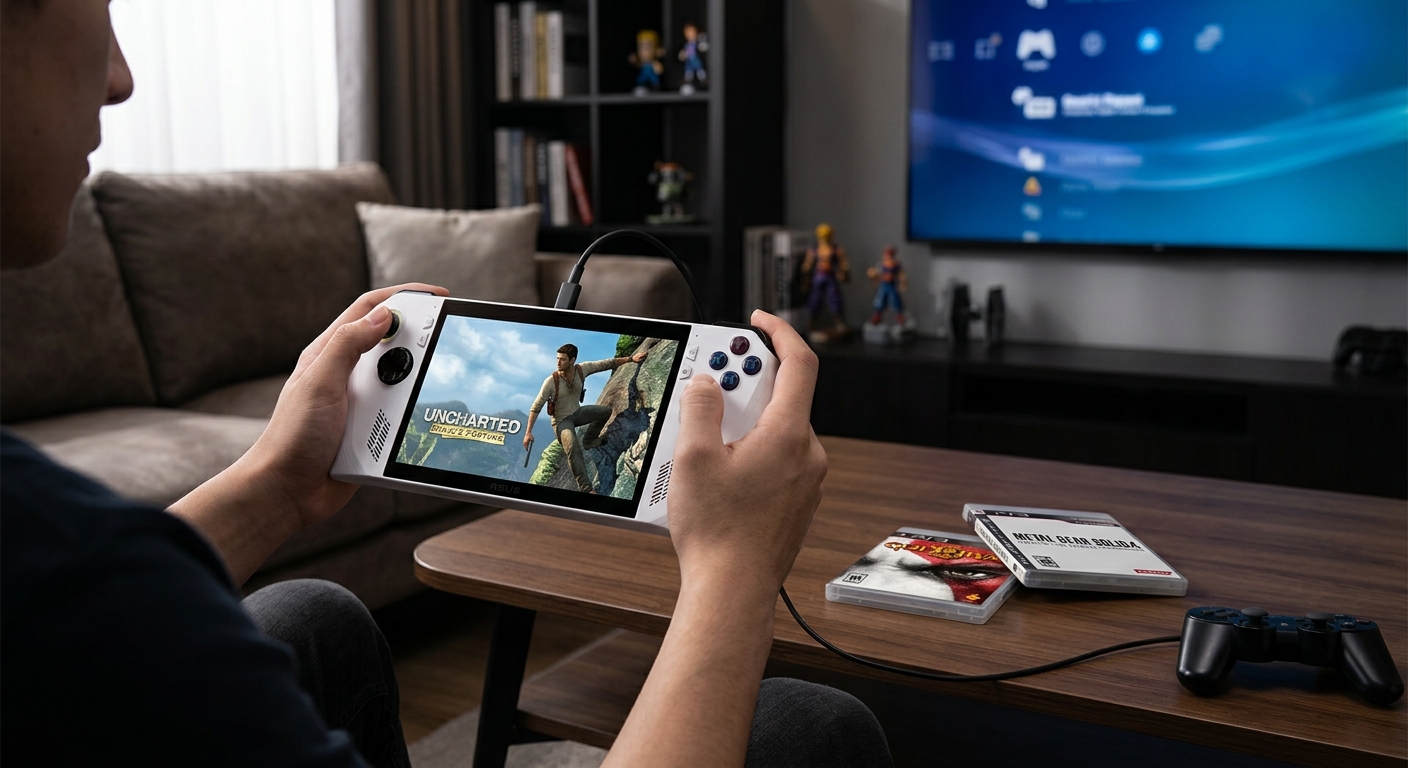
More than a decade after the PlayStation 3 era, Sony continues to treat its third‑generation console as an awkward relic. Native support for PS3 games on modern PlayStation hardware is still largely missing, and official access is mostly limited to cloud streaming. At the same time, the open‑source emulator RPCS3 is rapidly evolving, especially on portable PC hardware like the Steam Deck and other handheld gaming PCs.
This article looks at why PS3 backwards compatibility remains so limited on official platforms, how RPCS3 has matured into a remarkably capable solution, and what its latest handheld‑oriented improvements mean for players who want to carry their PS3 library with them.
Why PS3 Games Are Still Stranded
To understand why emulation has become the most practical route for many PS3 fans, it helps to look at two factors: Sony’s platform strategy and the PS3’s notoriously unusual architecture.
Official PS3 Support Is Still Fragmented
On modern PlayStation hardware, PS3 games are treated very differently from PS1, PS2, and PSP titles:
- PS4 and PS5 support native execution of many PS4 and some earlier titles, but not PS3 discs or digital purchases.
- PS3 libraries purchased on PlayStation Store generally cannot be redownloaded or played on PS4 or PS5 hardware.
- Access to select PS3 games is offered via cloud streaming in higher tiers of PlayStation Plus, which requires a stable high‑bandwidth connection and does not restore ownership of older purchases.1
For many players, that means the games they bought digitally during the PS3 era are effectively locked to aging hardware. Sony’s focus has shifted to new releases, services, and remasters, leaving a long tail of PS3 titles without official paths forward.
The Technical Hurdle: The Cell Processor
From a technical perspective, PS3 backward compatibility is a non‑trivial engineering challenge:
- The PS3’s Cell Broadband Engine used a unique combination of a PowerPC‑based core and multiple synergistic processing units (SPUs), demanding highly specialized optimization from developers.2
- This architecture is very different from the x86‑64 CPUs and modern GPUs inside PS4, PS5, and PC hardware.
- Accurately reproducing the timing, memory behavior, and parallel workloads of the Cell architecture in software is complex and computationally expensive.
While Sony could theoretically build robust PS3 emulation into its current consoles, it has chosen not to invest at that scale, instead leaning on cloud infrastructure to run PS3 code on server‑side hardware it can control.
RPCS3: From Experiment to Everyday Emulator
In the absence of broad official support, the community‑driven emulator RPCS3 has become the de facto way to preserve and play PS3 games on other platforms.
What RPCS3 Aims to Do
RPCS3 is an open‑source emulator that runs PS3 software on Windows, Linux, and more recently macOS systems. Its goals include:
- Preservation of PlayStation 3 software, including games and homebrew.
- Playability on consumer hardware, with a focus on performance and accuracy.
- Transparency through public development, frequent builds, and a compatibility database.
After more than a decade of development, the project has progressed from running simple homebrew to supporting thousands of commercial titles at or near full speed on sufficiently powerful PCs.3
Key Milestones in RPCS3’s Growth
Several technical advances have been particularly important for turning PS3 emulation into a viable everyday option:
- Recompilers and SPU optimizations dramatically increased frame rates in heavy games by translating PS3 code more efficiently to x86‑64.
- Adoption of modern graphics APIs, especially Vulkan, improved both rendering accuracy and performance on a wide range of GPUs.
- An expanding compatibility list shows many popular games now categorized as “Playable,” with minor or no issues for most users, depending on hardware.
What’s changed recently is where that performance can be enjoyed: not only on desktop towers, but on portable PCs that fit in your hands.
Why Handheld PCs Changed the Conversation
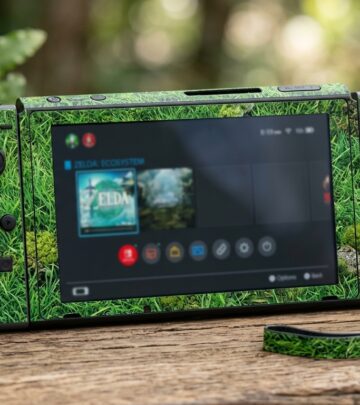
Handheld gaming PCs like the Steam Deck, ASUS ROG Ally, Lenovo Legion Go, and others have created a new use case for emulation: console‑like experiences on fully fledged PCs.
Portable Devices Powerful Enough for PS3 Emulation
Modern handhelds pack hardware that, a few years ago, would have been unthinkable in such small form factors:
- Multiple Zen‑based CPU cores with SMT (often 4–8 cores).
- RDNA or comparable GPUs with support for Vulkan, DirectX 12, and advanced power management.
- Fast NVMe storage for quick loading and shader compilation.
While these devices are still less powerful than a high‑end gaming desktop, they are often strong enough to run many PS3 games at acceptable frame rates when paired with a tuned emulator.
The Usability Gap on Small Screens
Hardware power alone isn’t enough. On handheld PCs, users face constraints that desktop environments don’t:
- Limited screen size makes dense, mouse‑oriented user interfaces difficult to navigate.
- Gamepad input becomes the primary way to control the system, especially in console‑like modes like SteamOS Gaming Mode.
- Battery drain and thermals are more noticeable, making efficiency important.
Early versions of RPCS3 were designed with desktops in mind, assuming a mouse, keyboard, and large monitor. Using it on a 7‑inch handheld required lots of manual tinkering and frequent trips into desktop mode on Steam Deck. That’s now changing.
New Handheld‑Focused Improvements in RPCS3
Recent updates to RPCS3 have introduced a range of quality‑of‑life and performance improvements specifically targeting portable PCs and controller‑driven interfaces.
A More Handheld‑Friendly Interface
One of the biggest shifts is in how the emulator presents itself on small screens:
- Adjusted layouts and fonts make core information visible at a glance without needing a high‑resolution monitor.
- Controller navigation is being prioritized so users can browse and launch games without relying on a mouse.
- Menu structures and overlays are being tuned for Steam Deck and other handheld display sizes, helping avoid constant zooming and scrolling.
On devices like Steam Deck, the aim is to make RPCS3 feel less like a desktop application awkwardly scaled down and more like a native console launcher.
An In‑Emulator Overlay for On‑the‑Fly Tweaks
Another major usability step is the addition of an in‑emulator overlay designed with controllers in mind. While specific capabilities are still evolving, overlays like this typically enable:
- Quick access to performance statistics such as frame rate and CPU/GPU utilization.
- Per‑game profile switching or simple toggles (e.g., resolution scaling, anti‑aliasing, frame caps).
- Fast save/load state or configuration adjustments without quitting to a desktop UI.
For handheld users, an overlay means fewer context switches between modes and less time spent digging through configuration windows that were designed assuming a mouse.
Integration With Steam and Other Frontends
On Steam Deck, where SteamOS treats everything through the lens of the Steam interface, integration is crucial. Recent and upcoming changes around handhelds aim to streamline:
- Adding PS3 games to Steam libraries with artwork and categories, reducing friction when launching titles directly from Gaming Mode.
- Reducing reliance on Desktop Mode to manage the emulator, which has historically been a barrier for less technical users.
- Making it easier for third‑party frontends (like EmuDeck and similar tools) to hook into RPCS3 in a predictable way for controller‑friendly workflows.
The vision is that a Steam Deck owner could power on the device, see their PS3 titles alongside native Steam games, and jump in without feeling like they are juggling two very different operating environments.
Performance Gains for Low‑Power CPUs
On the technical side, RPCS3 developers have continued to push performance forward, with particular attention to lower‑wattage CPUs commonly found in handhelds. Community testing and reports have highlighted:
- Improved thread scheduling and SPU handling, reducing CPU bottlenecks in demanding games.
- Better Vulkan rendering paths for integrated GPUs, helping maintain smoother frame rates.
- Optimizations that can deliver substantial frame rate increases in select titles, especially where CPU limitations previously dominated.
These gains are not uniform—PS3 emulation remains very game‑dependent—but they shift more titles from “theoretical” to “playable” on mobile silicon.
Handheld PS3 Emulation at a Glance
The following table summarizes common considerations when using RPCS3 on portable PCs compared with using it on a traditional desktop:
| Aspect | Desktop PC | Handheld PC (e.g., Steam Deck) |
|---|---|---|
| CPU/GPU Power | High; can brute‑force more demanding games | Moderate; relies heavily on emulator optimizations |
| User Interface | Mouse/keyboard, large screens, dense UI manageable | Mostly controller‑driven, small screen; needs simplified UI |
| Power & Thermals | Less constrained; high sustained power draw acceptable | Battery and heat sensitive; efficiency more important |
| Convenience | Fixed location, more cables, separate display | Portable, couch‑friendly, travel‑ready |
| Setup Complexity | Traditional desktop workflows, file managers | Reliance on overlays, frontends, and console‑style UX |
Legal and Ethical Considerations
While emulation itself is legal in many jurisdictions, there are important boundaries users need to understand:
- Console firmware: RPCS3 relies on the official PS3 system software, which Sony distributes on its own website for console owners. Users should obtain firmware through Sony’s official download page for legitimate use.4
- Game dumps: The legal status of game backups varies by country. In many places, downloading copyrighted games you do not own is unlawful, and distributing them is typically prohibited.
- Preservation vs. piracy: Institutions have emphasized that digital preservation should align with copyright law and fair use frameworks.5
Anyone interested in PS3 emulation should research relevant laws in their region and ensure that their use of RPCS3 respects both legal requirements and the rights of creators.
What This Means for PS3 Preservation
As Sony leans into new hardware generations and subscription services, PS3’s long tail of titles risks fading into obscurity. Emulation projects like RPCS3 are becoming an increasingly important part of how that history survives.
By targeting handheld PCs, RPCS3 is doing more than chasing raw accuracy or high‑end performance. It is making PS3 games feel at home in a modern, couch‑friendly form factor that echoes the original console experience while freeing players from aging hardware and lackluster official support.
If Sony chooses never to offer comprehensive PS3 backward compatibility on its consoles, it’s likely that for many players, their most accessible and practical way to revisit the PS3 era will be via an open‑source emulator running on a handheld PC.
PS3 Emulation on Handhelds: Quick Pros and Cons
- Advantages
- Portable access to a large catalog of PS3 games.
- Enhanced features like higher resolutions, frame‑rate caps, and overlays.
- Greater control over saves, input mapping, and visual adjustments.
- Drawbacks
- More complex setup than official console play.
- Game‑by‑game performance variability.
- Ongoing need to balance battery, heat, and performance.
Frequently Asked Questions
Is PS3 emulation ready for everyday use on handhelds?
It depends on the game and the device. Many titles run well on mid‑range handheld PCs with tuned settings, but some of the most demanding games still require stronger hardware. RPCS3’s compatibility list is the best way to check the status of specific games.
Why doesn’t Sony just add native PS3 support to PS5?
Publicly, Sony has not provided a detailed technical roadmap for native PS3 support on PS5. However, the complexity of emulating the Cell architecture on modern hardware is well documented, and Sony has chosen to focus on streaming PS3 games rather than running them locally.2
Will RPCS3 replace the need for an original PS3?
For some players, especially those who prioritize portability, RPCS3 on a handheld PC can effectively replace everyday use of a PS3. For others—particularly those who value original hardware behavior, peripherals, or disc collections—the console still has a place. Emulation and original hardware tend to coexist rather than fully supplant each other.
Do I need a high‑end handheld to use RPCS3?
You don’t necessarily need top‑tier hardware, but PS3 emulation is demanding. Recent optimizations have made lower‑power devices far more viable than they used to be, yet performance will always be better on faster CPUs and GPUs. Expect to tweak settings such as resolution scaling and frame caps to find a smooth experience.
Is it safe to download PS3 firmware from the internet?
The safest approach is to obtain the firmware directly from Sony’s official website. Sony still hosts PS3 system software for owners who need to update or reinstall their consoles, and this source minimizes the risk of tampered files.4
References
- PlayStation Plus Game Catalog and Classics Catalog — Sony Interactive Entertainment. 2024-03-28. https://www.playstation.com/en-us/ps-plus/whats-new/
- Cell Broadband Engine Architecture and its Technology — IBM. 2005-08-01. https://www.ibm.com/developerworks/power/library/pa-cellperf/
- RPCS3: The Open-Source PlayStation 3 Emulator — RPCS3 Team. 2024-11-15 (accessed 2026). https://rpcs3.net/
- System software update data for PlayStation 3 — Sony Interactive Entertainment. 2022-02-10. https://www.playstation.com/en-us/support/hardware/ps3/system-software/
- Copyright and Cultural Institutions: Guidelines for Digitization — Library of Congress. 2021-06-30. https://www.loc.gov/programs/national-digital-information-infrastructure-and-preservation-program/resources/copyright-and-cultural-institutions/
Similar Articles








Read full bio of medha deb