Starfield Replay Challenge: Share Clips and Win
Celebrate Starfield’s new wave of updates by sharing your best gaming clips for a chance to score prizes and community glory.
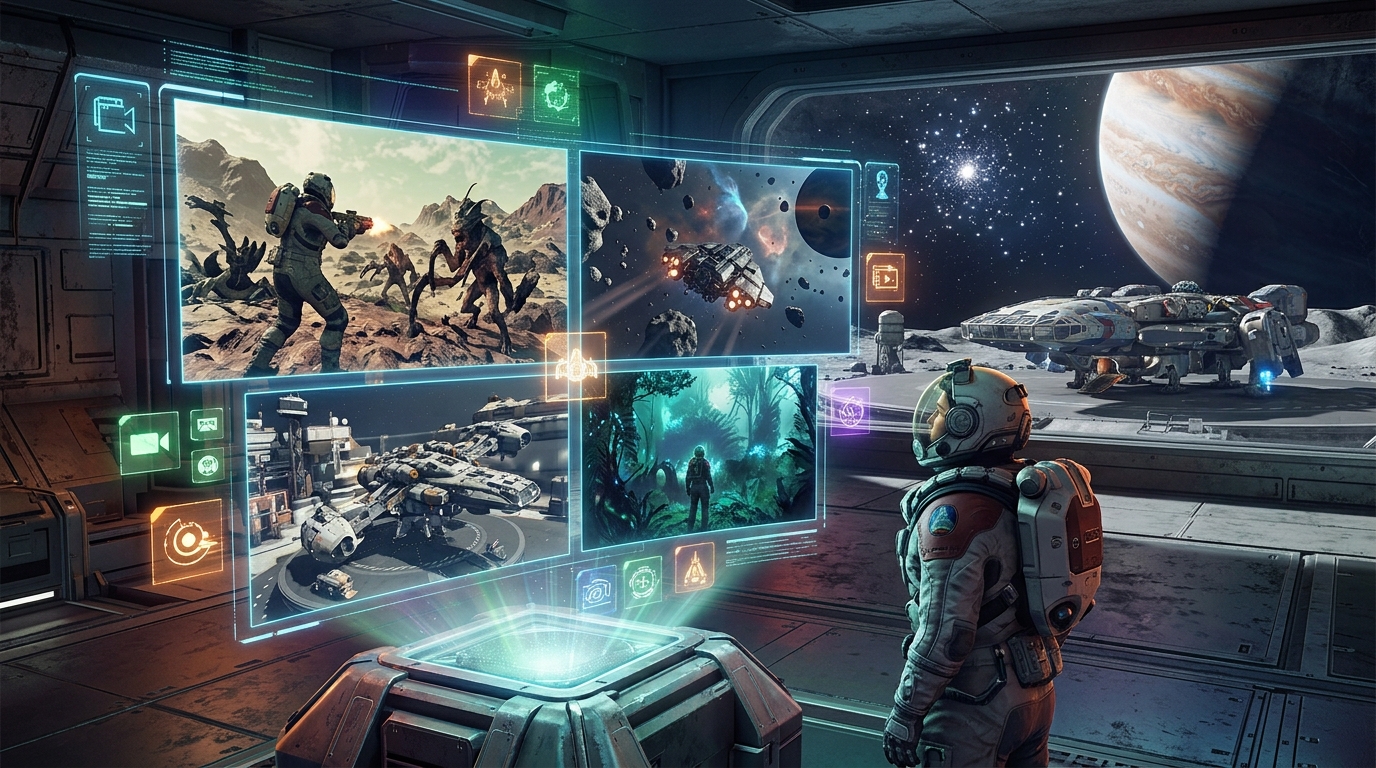
Starfield has entered a new phase with fresh updates, DLC, and a wider platform release, and the Replay community is celebrating by dedicating a whole month to spacefaring highlights. A special event is inviting players to send in their best gameplay clips for a chance to win Amazon vouchers, with an extra spotlight on Starfield moments that capture the wonder and chaos of interstellar exploration.
This guide explains how the Replay challenge works, how to submit your clips, what makes a winning entry, and how to easily record footage on your favorite platform. Even if you are not currently playing Starfield, your clips from other games are still welcome—there is something here for every kind of player.
Why Starfield Is Front and Center This Month
The current Replay theme focuses on Starfield, Bethesda Game Studios’ open-world space RPG where you build your own character, join factions, upgrade ships, and explore a vast galaxy. Bethesda describes Starfield as a new universe set in the year 2330, with over 1,000 planets and deep character customization systems.1 Recent updates and expansions have significantly broadened the game’s content, and a new console release has made it more accessible to additional players.2
Beyond in-game additions, the broader cultural moment around space exploration—such as renewed lunar mission efforts—adds to the theme. Modern lunar exploration programs like NASA’s Artemis aim to return humans to the Moon and build sustainable infrastructure there.3 That real-world backdrop makes Starfield’s fictional journeys feel even more timely, and gives the Replay community a natural excuse to celebrate all things cosmic.
How the Replay Clip Event Works
The Starfield-themed Replay challenge is structured to welcome both seasoned spacefarers and players who might be spending their time in completely different genres. Here is the core idea:
- Main contest: Submit a gameplay clip from any video game you are currently playing for a chance to win Amazon vouchers.
- Starfield spotlight: Within the overall pool, there is a separate special recognition (and prize) reserved for the best Starfield-themed submission.
- Community focus: Selected clips are showcased in a monthly Replay compilation, giving you bragging rights and a chance to entertain other players.
The competition is less about technical perfection and more about personality, creativity, and moments that make the community laugh, gasp, or nod in appreciation. Whether it is a flawless combat encounter, a bizarre physics bug, or a quiet, scenic landing on a distant moon, it has a place in the event.
Who Can Enter and What You Need
The challenge is designed to be straightforward and accessible. While specific eligibility terms will depend on the hosting site’s conditions, most participants will need the following:
- A stable internet connection to upload your clip.
- Access to a device capable of recording gameplay (console, PC, or cloud platform with capture support).
- The ability to share video files or links, depending on the upload form requirements.
Game choice is flexible. Starfield content is strongly encouraged due to the month’s theme, but any genre is acceptable, including racing games, platformers, strategy titles, horror experiences, or multiplayer shooters.
What Kinds of Clips Perform Best
While there is no single formula for a winning clip, watching past community compilations reveals some recurring patterns. Clips that do well usually combine entertainment, clarity, and a clear narrative. Consider the following categories:
1. Spectacular Moments
These are the clips that make viewers say, “How did that even happen?” Examples include:
- A near-impossible escape from a hostile fleet in Starfield.
- A perfectly timed combo or clutch victory in a competitive match.
- An unexpected environmental interaction that changes the outcome of a fight.
For replay value, ensure the full sequence—from setup to payoff—is present in the clip, even if it adds a few extra seconds.
2. Comedy and Glitches
Unintended comedy is a cornerstone of gaming culture. Bugs, AI misfires, and physics oddities can be just as memorable as grand victories. Funny content tends to:
- Be easy to understand within a few seconds.
- Have a clear punchline or surprising twist.
- Benefit from brief on-screen subtitles or captions explaining what went wrong.
In Starfield, this might be a ship that behaves oddly during landing, or an NPC delivering a serious line while everything around them falls apart in slapstick fashion.
3. Beautiful Scenery and Quiet Moments
Not every entry has to be loud or chaotic. The visual design of modern games often lends itself to serene, cinematic captures. Strong scenic clips usually feature:
- Clean framing and slow, deliberate camera movements.
- Striking lighting, such as sunsets, nebulae, or planetary rings.
- Minimal UI clutter, if possible, to highlight the environment.
Starfield’s planetary vistas, orbital views, and space station interiors are ideal subjects for this approach.
4. Clever Builds and Creative Play
Some of the most impressive clips showcase ingenuity rather than reflexes. Examples include:
- Unusual ship builds in Starfield that perform unexpectedly well.
- Intricate base designs or Rube Goldberg-style contraptions.
- Resourceful solutions that bypass obvious paths or use mechanics in unconventional ways.
In these cases, a short text overlay explaining the idea behind the build can help viewers appreciate your creativity.
How to Capture Gameplay on Your Platform
Modern consoles and PCs have built-in options for capturing short gameplay clips, often without additional cost. The table below summarizes typical approaches based on official documentation from Microsoft and Sony.4,5
| Platform | Basic Capture Method | Typical Clip Length |
|---|---|---|
| Xbox Series X|S / Xbox One | Press the Xbox button, then press X to save recent gameplay, or View to start manual recording. | Up to ~2 minutes by default, extendable in settings. |
| PlayStation 5 | Press the Create button and choose to save recent gameplay or start a new capture. | Up to 60 minutes for new captures, configurable in system settings. |
| Windows PC (Game Bar) | Press Win + G, then use the capture widget or press Win + Alt + R to record. | Depends on storage and settings; typically several minutes. |
| Third-party tools (PC) | Use software like OBS Studio to define scenes and hotkeys for recording. | Limited mainly by disk space and performance. |
Before recording, confirm your game’s privacy and content settings, especially for online titles. Some competitive environments have specific rules around streaming or recording, but normal casual gameplay captures are generally allowed.
Preparing Your Clip for Submission
Once you have captured your moment, follow these steps to make sure it is ready for the Replay challenge:
- Trim excess footage: Use built-in console editing tools or simple PC editors to cut out dead time before and after the key moment.
- Check resolution: Aim for at least 720p; 1080p is preferable for clarity.
- Verify audio levels: Make sure game sound is audible but not painfully loud. If your microphone is captured, check that it does not drown out the rest.
- Keep file size manageable: Shorter clips upload faster and are easier for editors to handle.
- Save in common formats: MP4 is widely supported and usually recommended.
If the submission form allows, include a brief description—two or three sentences is enough—to explain what viewers should look out for. This can help editors understand why your clip stands out.
How to Submit Your Clip to the Replay Event
The original article links to a dedicated submission button or form where you can upload your clip or provide a link to a hosted video. While the precise interface can change over time, the process usually looks like this:
- Click the provided submission link or button in the event article.
- Fill in your basic details (such as screen name and email address) so organizers can contact you if you win.
- Upload your video file directly or paste a URL from a supported platform.
- Confirm you have read any terms and conditions regarding content use.
- Submit and wait for a confirmation notice or email.
Be sure to respect any deadlines mentioned on the page. Clip-based events often accept entries only until the end of the themed month, after which the editors assemble the compilation and choose winners.
Tips to Improve Your Chances of Winning
Although the final decision lies with the judging team, you can increase your odds by focusing on clarity, originality, and community appeal.
Focus on a Single Strong Idea
A clip that tries to do too many things at once can feel cluttered. Instead:
- Highlight one main moment—an incredible piloting maneuver, a perfectly timed joke, or a beautifully framed landing.
- Avoid long buildups; let the core moment happen within the first few seconds.
Make It Easy to Understand Without Context
Replay compilations are watched by people who may not know your exact build, mission, or difficulty level. You can help them appreciate your clip by:
- Keeping HUD elements that show health, ammo, or danger clearly visible.
- Using short on-screen text to clarify key details (for example, “No healing items left” or “Permadeath save”).
- Avoiding overly complex inside jokes that only your friends would understand.
Embrace the Theme Where Possible
Because Starfield is the featured game this month, Starfield clips have a dedicated spotlight. If you are playing it, consider:
- Showcasing a unique ship you have built and putting it to the test in combat.
- Capturing a dramatic landing or takeoff in a visually striking location.
- Highlighting a moment that feels connected to exploration, discovery, or human curiosity—core ideas that resonate with the space theme.
Respect Community Guidelines
Organizers typically avoid clips that include:
- Offensive or hateful language in chat or voice.
- Copyrighted music overlays that could lead to takedowns.
- Cheating, exploits, or anything that violates a game’s terms of service.
By keeping content welcoming and inclusive, you increase your chances of making it into the final compilation.
Why Sharing Clips Matters for the Community
Replay events like this do more than just hand out prizes. They help build a shared culture around games, where players can see how others approach similar systems, missions, or challenges.
In the case of Starfield, the sheer scale of the game means no two players will experience it in exactly the same way. Some focus on main quests and faction politics; others spend hours customizing ships or scanning flora on remote worlds. Clips highlight these diverse styles and can inspire people to experiment with aspects of the game they might otherwise ignore.
Beyond Starfield, cross-game clips demonstrate how different communities overlap. An intense Starfield dogfight might be followed by a cozy farming sim moment, a chaotic racing slip-up, or a horror game jump scare. That variety reflects the modern gaming landscape, where players often juggle multiple titles at once.
FAQ: Starfield Replay Challenge
Do my clips have to be from Starfield?
No. The event promotes a Starfield theme and offers a special prize for the best Starfield submission, but you can submit clips from any game you are currently playing. All eligible clips are considered for the main Amazon voucher prizes.
Is there a maximum clip length?
Exact limits depend on the upload form, but shorter is generally better. Aim for clips in the 10–60 second range, unless the organizers specify otherwise. The focus should be on a single clear moment rather than a full match or mission.
Can I submit clips that include my voice chat?
Yes, provided the audio complies with community standards—no hate speech, harassment, or explicit content. Remember that hosting platforms may also enforce rules regarding copyrighted music or sound effects.
Do I need editing software to participate?
You can participate using only built-in console or system tools. Simple trimming is usually enough. Advanced editing, overlays, or transitions are optional and not required for your clip to stand out.
How will I know if my clip was selected?
If your clip is chosen for a prize, the organizers will typically contact you using the email address or account details you provide in the submission form. Selected clips may also appear in the published Replay compilation video and on the host site.
Final Thoughts: Join the Fleet and Hit Record
The Starfield Replay challenge is a chance to celebrate both a major space RPG and the broader creativity of the gaming community. Whether you are piloting a carefully tuned starship across a hostile system or quietly farming resources in a completely different game, your moments can entertain and inspire others.
Record the next time something unexpected, beautiful, or hilarious happens in your game, trim the clip, and send it in through the official submission form linked in the event article. With a bit of timing and creativity, your gameplay might not only win Amazon vouchers but also earn a permanent place in the community’s highlight reel.
References
- Starfield — Bethesda Game Studios / Bethesda Softworks. 2023-09-06. https://bethesda.net/en/game/starfield
- Everything in Starfield’s Free Lanes Update & Terran Armada DLC — Bethesda.net. 2024-04-07. https://bethesda.net/en/article/6nDCv9SjGBVdfwsLp87VJX/everything-in-starfield-free-lanes-update-terran-armada-dlc
- NASA’s Artemis Program — NASA. 2023-11-15. https://www.nasa.gov/artemis/
- Record Xbox Gameplay Clips — Microsoft Support. 2024-02-01. https://support.xbox.com/help/friends-social-activity/share-socialize/record-game-clips-game-bar-windows-10
- Capturing and Sharing Video on PS5 Consoles — Sony Interactive Entertainment. 2024-01-18. https://www.playstation.com/support/hardware/capture-video-ps5/
Similar Articles








Read full bio of Sneha Tete