Tiny NES Controller, Huge Nostalgia
How a thumb-sized NES-style controller captures classic 8-bit magic while showing what’s possible with modern hobbyist hardware.
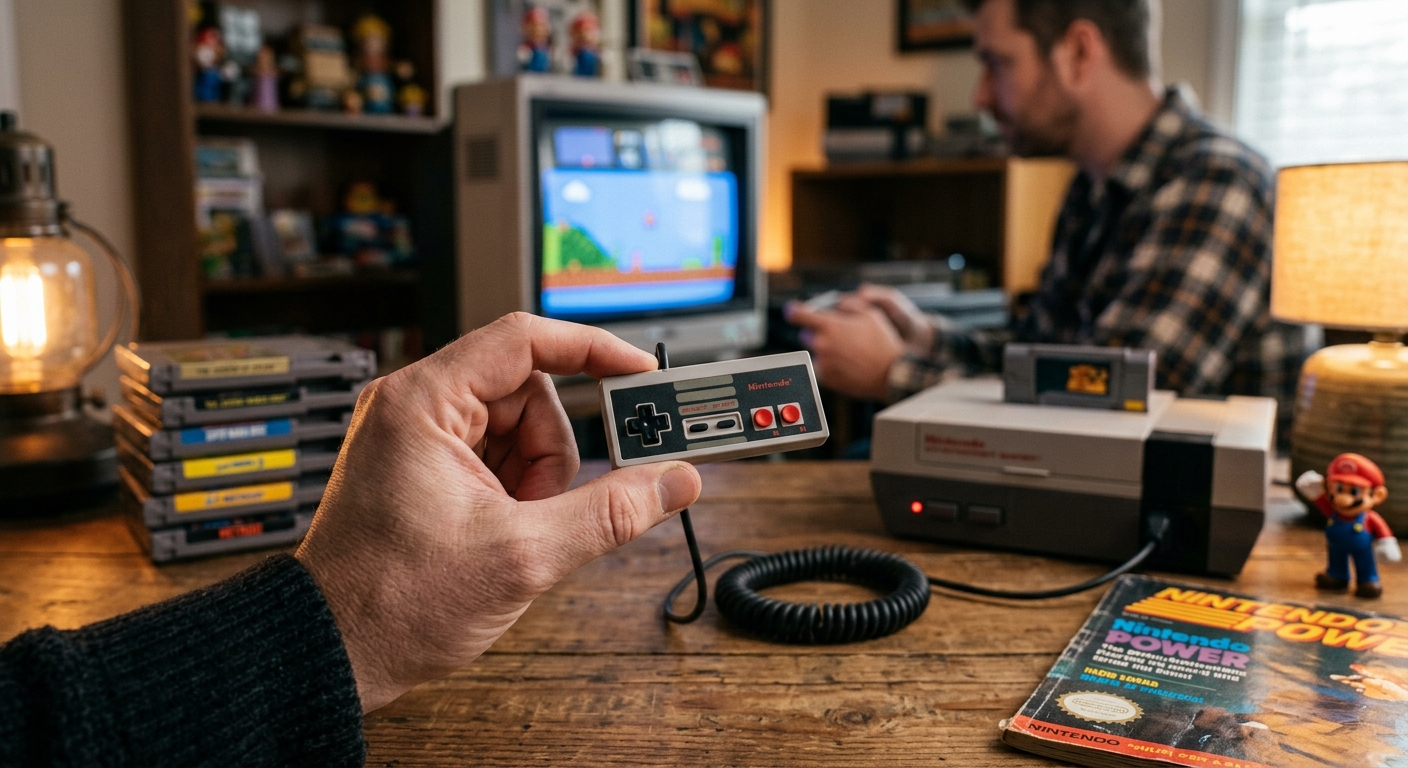
Miniaturized retro gadgets always walk a thin line between novelty toy and genuinely useful hardware. A thumb-sized NES-style controller sounds like a punchline to an April Fools joke, yet devices like this very real micro gamepad prove that shrinking classic designs can still honor the feel of the original. Instead of being just a keyring ornament, this diminutive controller shows how far enthusiast engineering and modern components have come in recreating the 8-bit era in the palm of your hand.
Inspired by classic Nintendo aesthetics and powered by modern microcontrollers, the tiny NES-style gamepad is more than a gimmick. It’s a compact love letter to an era when controllers were simple, robust, and instantly recognizable. This article breaks down why a controller barely larger than a coin can still feel surprisingly authentic, how it works, and what it reveals about the future of retro gaming hardware.
Why Shrink a Classic Controller at All?
At first glance, a thumb-sized controller seems like the opposite of ergonomic design. Retro pads were already smaller and more angular than modern controllers, so miniaturizing them further sounds impractical. Yet there are several compelling reasons enthusiasts keep trying to make the tiniest possible versions of their favorite gamepads:
- Nostalgia in your pocket: Miniature replicas distill the look and feel of beloved hardware into something you can carry everywhere.
- Tech challenge: Fitting a fully functional controller into such a small shell is a satisfying engineering puzzle for hobbyists.
- Desk toys with a purpose: Unlike static figures or keychains, a working micro controller is both display-worthy and interactive.
- Showcase for modding skills: Mini builds highlight soldering precision, PCB design, and 3D-printing or resin skills.
This thumb-sized NES-style controller slots neatly into that tradition. It’s clearly designed to generate laughs when you first see it, but the real surprise is how quickly the joke wears off and the craft underneath becomes the main attraction.
Capturing the NES Look in Micro Form
Even scaled down dramatically, the controller aims to instantly evoke Nintendo’s original 8-bit pad. That means getting the visual language right as much as the electronics. Enthusiast projects like this typically focus on four key design cues:
- Rectangular silhouette: The iconic brick-like shape with straight edges and rounded corners is preserved, only at a scale closer to a USB drive than a full-size pad.
- Two-face color scheme: The familiar contrast of darker body and lighter faceplate (often in gray or off-white) carries over.
- Simple layout: Directional pad on the left, A and B buttons on the right, and tiny Select/Start in the center.
- Minimal branding: Instead of licensed logos, many hobby builds use subtle engravings or printed markings to echo the original without infringing trademarks.
Maintaining these details at a small scale is harder than it looks. Buttons need to be big enough to press individually but small enough to fit on a pad that might barely cover two adult fingertips. Precise manufacturing—whether via 3D printing, resin casting, or CNC machining—becomes essential.
How Do You Build a Controller This Small?
Under the cute exterior sits a very modern heart. Tiny controllers typically rely on the same fundamental ingredients used across DIY gaming hardware projects:
| Component | Role |
|---|---|
| Microcontroller (e.g., low-power MCU) | Reads button presses and exposes them as USB or Bluetooth inputs. |
| Micro tact switches | Act as the actual button mechanisms for D-pad and action buttons. |
| Custom PCB | Provides traces, mounting points, and USB or wireless circuitry. |
| 3D-printed or cast shell | Houses components and defines the external shape and aesthetics. |
| USB-C or micro USB port / Wireless module | Enables connectivity to PCs, handhelds, or consoles (via adapters). |
The key constraint is space. Designers often need to stack components vertically and route traces creatively to ensure every button can be wired while leaving room for a connector or battery. Modern microcontrollers are a huge help here, since even tiny chips can support USB-HID (Human Interface Device) profiles out of the box, letting the device appear as a standard gamepad without custom drivers.1
Does a Thumb-Sized NES Pad Actually Feel Playable?
The big question is: how does it feel in real use? No matter how accurate the shell looks, a controller lives or dies by its tactile feedback and layout. For a mini gamepad inspired by the NES, several aspects stand out during hands-on play:
1. Button Accuracy and Click Feel
Classic NES controllers used rubber dome contacts, providing a soft yet decisive press. A miniature build typically swaps those membranes for micro tact switches. The result is:
- Audible clicks: Each input has a crisp, mechanical sound.
- Short travel distance: Less thumb movement per press, which can feel snappy but may be less forgiving.
- Distinct actuation point: You can clearly tell when a button registers, which helps compensate for the small targets.
While the sensation differs from an original pad, the consistent actuation and low latency give it a precise feel. For quick taps—jumping over pits or firing in rapid bursts—the micro switches can even feel more responsive than aging 80s hardware.
2. D-pad Precision at Micro Scale
Directional pads are notoriously difficult to miniaturize. They must allow four cardinal directions and clean diagonals without accidental misinputs. On a tiny NES-style controller, this is typically addressed by:
- Using a single cross-shaped piece to maintain the classic look.
- Placing four separate tact switches beneath, one for each direction.
- Tuning the height and pivot point to avoid pressing adjacent directions by mistake.
The result is surprisingly usable for simpler 2D platformers and puzzle games. Fine movements, like in precision platformers or speedruns, are more challenging, but the D-pad is more than adequate for casual sessions and quick nostalgia trips.
3. Ergonomics: Charming but Compromised
No amount of clever engineering can override basic anatomy: adult hands will dwarf a thumb-sized controller. Expect:
- Pinching grip: You tend to hold it between thumb and index finger rather than resting it in your palms.
- Short play bursts: Longer sessions can lead to mild hand strain or fatigue.
- Best for simple titles: Games that require minimal simultaneous button presses feel more comfortable.
In that sense, the mini NES-style pad is more of a charming sidekick than a daily driver. It’s ideal for quick levels, high-score chases, or testing ROMs on handheld devices where you want something fun and portable.
Where a Tiny NES Controller Fits in a Modern Setup
Even though it’s tiny, this controller can slot into a surprising number of modern gaming setups when designed as a USB or Bluetooth HID device. Because operating systems like Windows, macOS, and Android natively support standard HID gamepads,1 you can plug and play with minimal friction.
Practical Uses
- Retro PC emulation: Use it with software like open-source emulators (e.g., those hosted and documented in projects on GitHub or libretro’s ecosystem) to play 8-bit and 16-bit titles on a laptop.
- Handheld emulation devices: Many portable Linux-based handhelds recognize USB controllers, making the tiny pad a whimsical backup controller.
- Arcade-style mini builds: Combine the controller with a small display or a handheld Raspberry Pi-style device for an ultra-compact setup.
- Travel companion: Its minuscule size makes it an easy addition to a tech pouch for casual hotel or train-session gaming.
Less Practical, but Fun, Scenarios
- Party novelty: Hand the mini controller to a friend in a local multiplayer session for a lighthearted handicap.
- Desk showpiece: Keep it on display next to larger retro hardware as a conversation starter.
- Teaching tool: Use it to introduce electronics or soldering concepts; the small PCB can help explain how inputs map to a USB device.
Mini Controllers, Big Retro Culture
Devices like the thumb-sized NES-style controller don’t exist in isolation. They’re part of a broader wave of retro miniaturization that includes officially licensed mini consoles and fan-made “micro” versions of classic systems and pads. Nintendo’s own Classic Mini NES, for instance, showed that even mass-market products can successfully shrink retro hardware while maintaining playability and charm.2
Beyond official products, the modding community has created everything from keychain-sized home consoles to handhelds built from repurposed motherboard sections. Enthusiasts often document these projects publicly, which in turn inspires others to experiment with similar builds. Organizations like Guinness World Records have even recognized some of the more extreme miniatures, such as the world’s smallest functioning N64 console, highlighting how far the hobby has pushed size constraints.3
This culture thrives on collaboration, shared designs, and open-source tools. Microcontrollers commonly used in DIY controllers are accompanied by extensive documentation from their manufacturers and firmware projects, making it easier for hobbyists to implement reliable USB and Bluetooth stacks.4 The tiny NES-style controller is a natural outcome of that thriving ecosystem.
Engineering Challenges Behind the Scenes
From the outside, the controller looks simple. Internally, several engineering issues must be overcome to make it both functional and reliable.
1. Wiring and PCB Routing
Every button needs its own signal path, and those traces can only be so narrow before manufacturing becomes unreliable. PCB designers often need to:
- Use fine-pitch routing to squeeze traces between pins.
- Design multi-layer boards if necessary, adding power and ground planes.
- Carefully position switches to align with shell cutouts while keeping solder pads accessible.
2. Durability in a Tiny Shell
Controllers endure repeated mechanical stress. On a mini pad, there’s less plastic and fewer anchor points for screws. Builders counter this by:
- Using thicker walls around screw posts and button holes.
- Choosing strong resins or plastics that don’t crack easily.
- Reinforcing the USB connector area, since that’s a common stress point.
3. Power and Connectivity
Wired controllers can draw power directly from the USB port, which simplifies the design. Wireless versions must fit a battery and charging circuitry in an already crowded space. Given that even tiny lithium cells take up significant volume, most extremely small builds favor a wired connection.
On the software side, compliance with USB HID specifications ensures wide compatibility across operating systems. These standards are published and maintained by the USB Implementers Forum, and microcontroller vendors regularly provide reference firmware implementations to reduce the burden on individual builders.5
Who Is This Controller Really For?
While anyone can appreciate a tiny NES-style controller, a few key groups are most likely to get full value out of it:
- Retro enthusiasts: Players who grew up with 8-bit consoles and enjoy collecting unusual hardware.
- Modders and tinkerers: People who want to dissect, customize, or improve the design.
- Content creators: Streamers and YouTubers who showcase odd or impressive hardware builds as part of their retro coverage.
- Developers and testers: Programmers building retro-inspired games who enjoy testing their work on unconventional input devices.
For these users, the limited ergonomics aren’t a deal-breaker. The appeal lies in a mixture of nostalgia, novelty, and appreciation for clever electronics packaging.
Is Miniaturization the Future of Retro Hardware?
Mini controllers won’t replace full-size pads, but they reveal where retro hardware is headed. As microcontrollers, sensors, and batteries continue to shrink, hobbyists gain more freedom to experiment with unconventional form factors. The thumb-sized NES-style controller is a visible marker of that trajectory: a blend of old-school design and new-school hardware.
In a broader context, these builds reflect a growing desire to preserve and reinterpret gaming history. Compact devices lower the barrier to entry—both physically and psychologically. It becomes easier to carry a little slice of 1980s gaming culture in your pocket, ready to plug into a laptop, handheld, or mini console.
Perhaps most importantly, projects like this encourage curiosity. They highlight how approachable electronics and firmware development have become, thanks to widely available tools, documentation, and community support.4 Someone who starts by buying a tiny NES-style controller for their desk might be inspired to open it up, learn how it works, and eventually design a controller of their own.
FAQ: Thumb-Sized NES-Style Controllers
Are tiny NES-style controllers comfortable for long sessions?
Not really. Their size makes them better suited to short bursts of play. Extended sessions can lead to hand fatigue because you’re essentially pinching the device between your fingers rather than resting it comfortably in your palms.
Can I use a miniature NES-style controller with modern PCs?
Yes, if the controller implements the USB HID standard or Bluetooth gamepad profiles, most modern operating systems will recognize it as a generic controller without extra drivers.1
Do these controllers work with original NES consoles?
Generally, no. Most hobbyist mini controllers are designed as USB or Bluetooth devices, not as direct replacements for proprietary console ports. Adapters exist for some systems, but compatibility varies.
Are miniature controllers just toys or serious hardware?
They’re both. While their ergonomics limit them as primary controllers, many designs use quality switches, robust PCBs, and standards-compliant firmware, making them technically capable devices despite their playful appearance.
Can I build a tiny retro controller myself?
Yes. With basic soldering skills, access to a PCB fabrication service, and a 3D printer or enclosure source, you can follow open-source designs or create your own. Microcontroller vendors and hobbyist communities provide extensive documentation, example code, and support to help newcomers get started.4
References
- Device Class Definition for Human Interface Devices (HID) — USB Implementers Forum. 2011-06-27. https://usb.org/document-library/device-class-definition-hid-111
- Nintendo Entertainment System: NES Classic Edition Product Page — Nintendo. 2016-09-30. https://www.nintendo.com/nes-classic/
- Smallest Nintendo 64 console — Guinness World Records. 2022-03-10. https://www.guinnessworldrecords.com/world-records/smallest-nintendo-64-console
- Getting Started with Microcontrollers — Microchip Technology Inc. 2023-05-12. https://www.microchip.com/en-us/products/microcontrollers-and-microprocessors/getting-started-with-microcontrollers
- USB in a NutShell — Beyond Logic. 2020-08-18. https://www.beyondlogic.org/usbnutshell/usb-in-a-nutshell-introduction/
Similar Articles








Read full bio of medha deb