Top Amazon Prime Day Gaming Upgrades Under $100
A practical buyer’s guide to the best Prime Day gaming deals under $100, from headsets to SSDs, so you can upgrade smart without overspending.
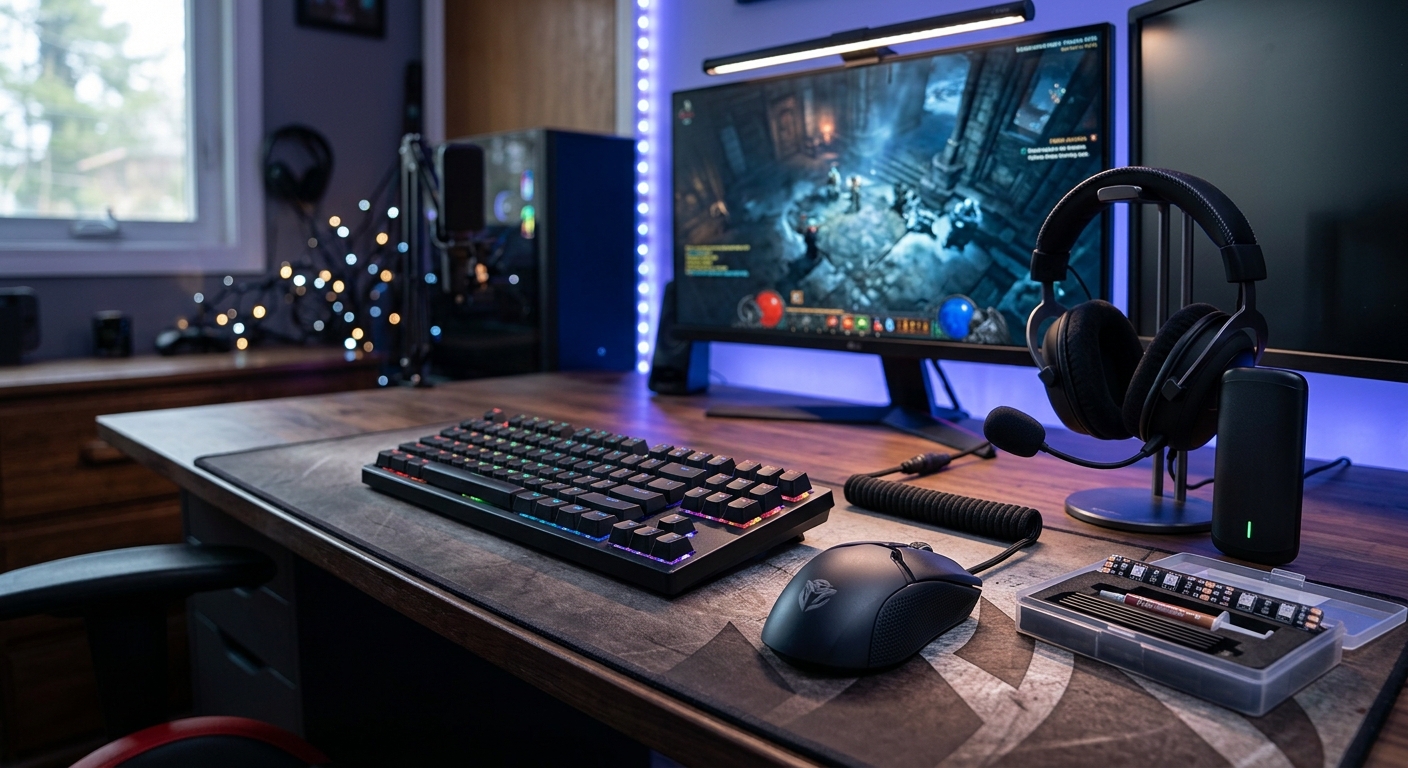
Amazon Prime Day has become a second holiday season for gamers. Even if you are already thinking ahead to Black Friday, Prime Day often brings early price drops on gaming gear that rarely goes on sale. With so many flash discounts and lightning deals, it is easy to overspend or miss the genuinely worthwhile offers. This guide focuses on one clear goal: helping you find the most impactful gaming upgrades under $100.
Inspired by Prime Day roundups from gaming publications, this article breaks down the categories that typically offer the best value: controllers, headsets, storage, keyboards, mice, and a handful of extras that can dramatically improve your setup. You will also find buying tips, comparison tables, and FAQs to make quick, informed decisions before deals disappear.
Why Prime Day Is a Strong Time to Upgrade Your Gaming Setup
Prime Day is designed to reward Amazon Prime members with limited-time discounts across almost every category, and gaming is usually a highlight. While prices fluctuate throughout the year, Prime Day tends to be one of the few moments when you see broad discounts on:
- First-party console accessories (controllers, charging docks, storage expansion)
- Popular third-party headsets and keyboards
- Internal SSDs and microSD cards for storage-hungry games
- PC peripherals like gaming mice and mouse pads
Historically, analysis of Amazon sales has shown that large shopping events such as Prime Day and Black Friday drive significant price cuts on electronics and gaming hardware, often matching or beating each other depending on the product category.1 Many manufacturers now plan their promotional calendars around these dates, making them strategic moments to upgrade rather than buying at random times.
How to Spot a Real Prime Day Deal
Not every “deal” is truly a bargain. Some prices bounce up and down in the weeks before Prime Day, so a discount might not be as deep as it looks. Here are practical checks to apply before you buy:
- Check recent price history: Use a trusted price-tracking tool or browser extension to see if the discount is genuinely lower than the usual selling price.
- Ignore inflated list prices: Compare the current price with the typical street price over the last 30–90 days, not the theoretical MSRP.
- Prioritize quality over size of discount: A modest discount on a well-reviewed accessory is better than a huge discount on something that will break or feel bad to use.
- Look for current compatibility: Verify that controllers, headsets, and storage are verified to work with your console or PC platform.
- Scan recent reviews: Focus on recent reviews and verified purchases to spot reliability or firmware issues.
Consumer organizations like Consumer Reports and independent economists have repeatedly noted that major sales can mix genuine bargains with shallow discounts, so it pays to compare carefully before checking out.1
Best Sub-$100 Controller Deals: Console and PC
A better controller is often the most noticeable upgrade for console and PC gamers alike. Prime Day tends to offer discounts on both first-party controllers and respected third-party options.
Features That Matter in a Gaming Controller
When considering a discounted controller, focus on the following features:
- Platform support: Ensure it is designed for your system (PS5, Xbox, Switch, or PC). Many modern controllers also support multiple platforms via USB or Bluetooth.
- Latency: Low-latency wired or wireless connections reduce input lag, which can matter in fast-paced shooters or competitive games.
- Extra buttons and paddles: Rear paddles or programmable buttons let you remap actions without taking thumbs off the sticks.
- Build quality and stick drift: Look for models with a good track record against stick drift and a solid warranty from the manufacturer.
- Battery life: For wireless controllers, anything over 20 hours of play per charge is convenient for most players.
| Priority | Casual Console Gamer | Competitive / PC Gamer |
|---|---|---|
| 1 | Comfort & grip | Low latency |
| 2 | Battery life | Programmable paddles |
| 3 | Color/style | Durability & drift resistance |
| 4 | Extra buttons | Multi-platform compatibility |
Prime Day often brings popular controllers close to or under the $100 mark, including official wireless controllers, special-edition colorways, and pro-style pads with extra customization options. If you see a well-reviewed controller with rear paddles and a solid warranty under $100, it is usually worth serious consideration.
Best Prime Day Gaming Headsets Under $100
A quality headset can transform how you experience games, especially story-heavy titles and competitive shooters. Prime Day is known for strong discounts on both wired and wireless gaming headsets across console and PC ecosystems.
What to Look for in a Sub-$100 Gaming Headset
- Comfort: Lightweight construction and breathable ear cushions matter for long sessions. Some epidemiological studies suggest that excessive clamping force and poor fit can contribute to headaches or discomfort over time.2
- Sound profile: A slightly boosted bass can help explosions feel impactful, but you also want clear mids and highs for footsteps and dialogue.
- Microphone clarity: Good noise rejection helps your voice remain intelligible in voice chat. Look for detachable mics or flip-to-mute designs.
- Surround sound support: Virtual 7.1 or spatial audio modes can help with positional awareness, though implementation quality varies.
- Platform connectivity: USB dongles are common for low-latency wireless; 3.5 mm jacks work universally but rely on the console or controller’s audio hardware.
Research from game audio specialists and sound engineers highlights that spatial cues in audio significantly influence player perception and immersion, especially in 3D games and VR.3 A headset that represents directional sound accurately can provide a meaningful gameplay advantage in competitive titles.
Quick Comparison: Wired vs Wireless Headsets
| Type | Pros | Cons |
|---|---|---|
| Wired |
|
|
| Wireless |
|
|
Under $100, Prime Day often brings well-rated wireless headsets into impulse-buy territory. If you can live with wired, however, you can usually get better sound quality for the same price bracket.
Storage Deals: SSDs and microSD Cards for Games
Modern games can easily exceed 100 GB, and storage is one of the most practical upgrades you can make. Prime Day typically features strong discounts on SSDs and microSD cards, often making it the ideal time to expand your library space.
Why Extra Storage Matters
Large updates and downloadable content quickly eat through limited console storage. Official documentation from console manufacturers highlights recommended storage specifications and compatible expansion options:4,5
- PlayStation 5: Supports PCIe 4.0 NVMe SSDs with specific speed and size requirements.
- Xbox Series X|S: Uses proprietary expansion cards plus support for external USB drives for previous-generation games.
- Nintendo Switch: Relies on microSD cards for additional space, with support up to 2 TB depending on card type.
Choosing the Right Storage Deal Under $100
When scanning Prime Day storage deals, use these rules of thumb:
- For PS5 and PC: Prioritize NVMe SSDs with fast read speeds (generally 5,000 MB/s or higher for PS5). Confirm heat-sink compatibility if required by your console or case.
- For Xbox Series X|S: Look for expansion cards from the official partner brand; check capacity and price per gigabyte.
- For Nintendo Switch and Steam Deck: Go for reputable microSD brands rated for high endurance and fast read speeds.
| Platform | Type | Common Capacities Under $100 (Prime Day) |
|---|---|---|
| PS5 / PC | NVMe SSD | 500 GB – 1 TB |
| Xbox Series X|S | Expansion card | Often 512 GB; 1 TB occasionally dips close to $100 |
| Nintendo Switch / Steam Deck | microSD card | 256 GB – 1 TB, depending on brand and speed |
Always cross-check storage offers with manufacturer compatibility lists when upgrading consoles to avoid performance or recognition issues.
Keyboards, Mice, and Mouse Pads: PC Gaming on a Budget
PC gamers see some of the biggest variety in Prime Day deals, especially on keyboards and mice. Under $100, you can usually move from a basic membrane keyboard and office mouse to a setup with mechanical switches, adjustable DPI, and better ergonomics.
Mechanical Keyboards Under $100
Mechanical keyboards have become more affordable, and Prime Day routinely pushes many models under the $100 threshold. Key aspects to consider include:
- Switch type: Linear switches feel smooth, tactile switches have a bump, and clicky switches provide both a bump and audible click. Pick based on your noise tolerance and typing preference.
- Form factor: Full-size keyboards include a number pad, while tenkeyless (TKL) and 60–75% boards save desk space and improve mouse movement.
- Key rollover and anti-ghosting: Useful for games that require many simultaneous inputs.
- Build quality: Metal top plates and thicker keycaps will last longer than thin plastic builds.
Human factors research on keyboards and input devices has long emphasized that ergonomics and proper hand positioning reduce fatigue during extended use, particularly when combined with regular breaks.6 A more comfortable keyboard layout can indirectly improve performance by keeping your hands relaxed.
Gaming Mice and Surfaces
Mouse upgrades are especially noticeable in first-person shooters and RTS or MOBA games. Under $100, Prime Day often discounts mid-range and even some near-flagship models.
- DPI / CPI range: Higher DPI settings are not inherently better, but adjustable sensitivity allows you to find a setting that matches your play style and monitor resolution.
- Sensor quality: Look for modern optical sensors with accurate tracking and low lift-off distance.
- Weight and shape: Lightweight mice are popular in competitive scenes; choose a shape that fits your hand size and grip style (palm, claw, or fingertip).
- Buttons: Extra side buttons can be mapped to in-game abilities or macros, particularly useful in MMOs.
Pair your mouse with a quality mouse pad. Hard pads favor speed, while cloth pads give more control. Prime Day bundles sometimes include both, but even a simple large cloth pad can make your desk feel more cohesive and give you room for broad flicks at low sensitivities.
Other Smart Gaming Accessories Under $100
Beyond the obvious headsets and controllers, a few less flashy accessories can significantly improve your day-to-day gaming comfort and convenience.
Console Charging Stands and Docks
Charging stands are often deeply discounted and can solve two problems at once: keeping controllers topped up and organizing your setup. When evaluating a dock:
- Ensure it uses official charging protocols or is licensed for your console.
- Look for clearly labeled charging indicators (LEDs) and overcharge protection.
- Check how cables are routed—good stands reduce clutter instead of adding to it.
Screen Protection and Carry Cases
For handheld consoles like Nintendo Switch or portable PCs, protective cases and screen protectors are simple, low-cost upgrades that often go on sale during Prime Day. They safeguard your device when traveling and make it easier to carry extra cartridges, microSD cards, and earbuds.
Comfort and Ergonomic Add-ons
Playing for long hours without considering ergonomics can contribute to discomfort or repetitive strain. Health authorities recommend maintaining neutral wrist posture, taking regular breaks, and adjusting your setup to reduce awkward positions.7 Accessories that can help include:
- Keyboard wrist rests or ergonomic mouse rests
- Adjustable monitor stands or arms
- Chair cushions or lumbar support pillows
These items might not feel as exciting as a new headset, but they can dramatically improve comfort during long sessions.
How to Prioritize Your Under-$100 Budget
If you only have $100–$200 to spend on Prime Day, planning where to allocate it matters. Here are a few scenario-based suggestions:
If You Mainly Play on Console
- First pick: A discounted high-quality headset for better communication and immersion.
- Second pick: Extra storage (SSD or expansion card) if you are constantly deleting games.
- Third pick: Charging dock or an extra controller if you frequently play local co-op.
If You Mainly Play on PC
- First pick: A good mouse that fits your grip style and has a reliable sensor.
- Second pick: A mechanical keyboard that improves comfort and input reliability.
- Third pick: Large mouse pad or better headset if you already have solid input devices.
If You Split Time Between Handheld and TV/Monitor
- First pick: microSD card for your handheld console or PC handheld to avoid juggling installs.
- Second pick: Protective case plus screen protector for safe travel.
- Third pick: Compact headset or earbuds that work across all your devices.
The best combination for you depends on what currently causes the most friction in your gaming life: waiting on downloads, bad audio, uncomfortable controls, or disorganized cables. Use those pain points to guide your shopping list.
Prime Day Gaming Deals FAQ
Are Prime Day gaming deals better than Black Friday?
It depends on the product. Some accessories see their lowest price on Prime Day, while big-ticket items like TVs and next-generation consoles sometimes receive stronger discounts on Black Friday. Retail analyses suggest that both events offer competitive pricing, so if you see a strong deal on something you need now, it is often not worth delaying for months in the hope of a marginally better discount.1
Do I need to be a Prime member to get these gaming deals?
Most Prime Day offers require an active Amazon Prime subscription. Some discounts may be open to all shoppers, but the best lightning deals and exclusive discounts are typically members-only. You can usually sign up for a trial if you have not used one recently.
Is it safe to buy discounted SSDs and microSD cards?
Yes, provided you stick to reputable brands and check compatibility with your device. Avoid suspiciously cheap, no-name brands that lack clear specifications or reviews. Always verify that the storage type matches manufacturer recommendations for your console or PC.4,5
How can I avoid impulse purchases during Prime Day?
Create a short list of what you actually need before the sale starts, along with a rough target price based on recent averages. Compare deals against that list rather than browsing everything. If a deal does not support your gaming goals or replace something you actually dislike using, consider skipping it.
Should I prioritize wireless or wired accessories under $100?
Under $100, wired accessories usually offer better performance for the money, especially with headsets and mice. However, if cable clutter or freedom of movement is a major concern, Prime Day is often the best chance to grab a solid wireless model at an affordable price. The choice comes down to whether you value absolute performance or convenience more.
Final Thoughts
Prime Day can be chaotic, but it is also one of the best opportunities of the year to upgrade your gaming setup without breaking the bank. Focus on accessories that directly improve how your games feel—controllers, headsets, storage, and input devices—rather than chasing every lightning deal that flashes across the homepage. With a clear plan and a firm budget ceiling of $100 per item, you can leave Prime Day with a setup that feels fresh, responsive, and more enjoyable, long before the next big sale season rolls around.
References
- Prime Day vs. Black Friday: What’s the Better Deal? — Consumer Reports. 2023-07-05. https://www.consumerreports.org/shopping/amazon-prime-day-vs-black-friday-a3428146531/
- Headphones and Hearing Loss — Centers for Disease Control and Prevention (CDC). 2022-02-01. https://www.cdc.gov/nceh/hearing_loss/how-do-we-hear.html
- Game Audio: An Introduction to Interactive Audio — Gamasutra / Game Developer. 2020-09-10. https://www.gamedeveloper.com/audio/game-audio-an-introduction-to-interactive-audio
- Install M.2 SSD Storage in a PS5 Console — Sony Interactive Entertainment. 2023-08-30. https://www.playstation.com/support/hardware/ps5-install-m2-ssd/
- Xbox Series X|S Storage Options — Microsoft. 2024-01-15. https://support.xbox.com/help/hardware-network/storage/xbox-series-x-s-storage-options
- Ergonomics and Computer Use — Harvard University, Environmental Health & Safety. 2022-04-12. https://ehs.harvard.edu/programs/computer-workstation-ergonomics
- Ergonomics and Musculoskeletal Disorders — U.S. Occupational Safety and Health Administration (OSHA). 2021-09-01. https://www.osha.gov/ergonomics
Similar Articles








Read full bio of medha deb