Top Gaming SSD Deals You Should Check Now
Struggling with full drives? Compare three standout SSDs for gaming and everyday use, with clear pros, cons, and buying tips.
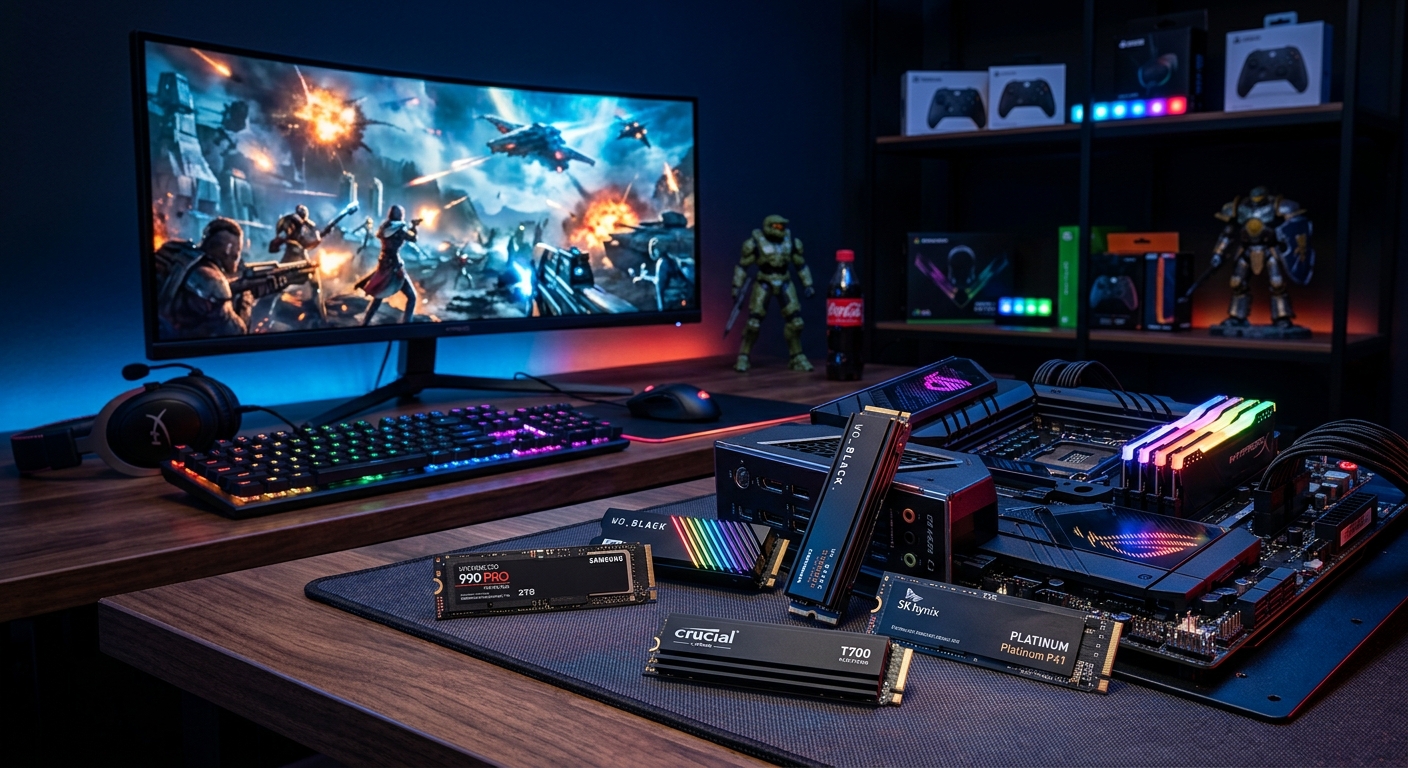
If your PC or console is constantly nagging you to delete games, it may be time to add more solid-state storage. Modern titles regularly exceed 100GB, and high-resolution texture packs can push them far beyond that. Rather than endlessly juggling installs, a well-chosen SSD can give you breathing room and speed up your system at the same time.
Inspired by current market pricing and enthusiast recommendations, this guide focuses on three high-performance SSDs that are especially compelling right now:
- WD Black SN850X – a fast, well-rounded PCIe 4.0 drive.
- Samsung 990 Pro – a premium PCIe 4.0 SSD with strong real-world performance.
- Crucial T700 – a next‑gen PCIe 5.0 monster aimed at early adopters.
We will break down where each one fits, what kind of user will benefit most, and what to think about before spending your money.
Why SSD Choice Matters When You Run Out of Space
Upgrading storage is more than just picking the cheapest terabyte you can find. Your SSD choice determines how quickly your system boots, how fast games load, and how smoothly large applications perform. Official tests from platform holders and independent labs show that moving from a hard disk drive (HDD) to a solid‑state drive dramatically reduces loading times and improves responsiveness in everyday tasks.1,2
However, once you are already on SSDs, the differences between mid‑range and high‑end drives are more subtle. In many games, the gap between an entry‑level SATA SSD and a flagship PCIe 4.0 or 5.0 NVMe drive may only be a few seconds per load screen. Where higher‑end drives really shine is in:
- Large file transfers – moving dozens of gigabytes of footage or project files.
- Content creation workloads – video editing, 3D assets, and virtual machines.
- Heavy multitasking – running many applications and background tasks at once.
- Future‑proofing – some future titles and engines may lean harder on storage bandwidth.
With SSD prices moving frequently, it makes sense to narrow your options to a small set of well‑regarded models, then watch for discounts. The three SSDs in this article represent exactly that kind of short‑list: a balance of speed, reliability, and current availability.
Key Specs and Features at a Glance
The table below shows a high-level comparison of the three SSDs discussed in this guide. Actual prices fluctuate, but this outline should help frame their relative positions.
| Model | Interface | Typical Form Factor | Target Use | Peak Sequential Read* | Capacity Range |
|---|---|---|---|---|---|
| WD Black SN850X | PCIe 4.0 NVMe | M.2 2280 | Gaming & high‑performance desktops | Up to ~7.3 GB/s | 1TB – 4TB |
| Samsung 990 Pro | PCIe 4.0 NVMe | M.2 2280 | Gaming, workstations, prosumers | Up to ~7.4 GB/s | 1TB – 4TB |
| Crucial T700 | PCIe 5.0 NVMe | M.2 2280 | Cutting‑edge performance & creators | Up to ~12.4 GB/s | 1TB – 4TB |
*Manufacturers’ peak sequential read figures. Real‑world speeds will vary depending on workload and platform.
WD Black SN850X: High-End Gaming Without Going Overboard
The WD Black SN850X is a performance‑focused PCIe 4.0 NVMe SSD that targets gamers and enthusiasts who want strong speeds without paying for the absolute bleeding edge. It builds on Western Digital’s earlier SN850 series and refines it with firmware tweaks, improved efficiency, and optional heatsinks on some models.
What Makes the WD Black SN850X Stand Out
- Excellent gaming performance – delivers fast game load times and quick asset streaming in open‑world titles.
- Competitive pricing – often discounted below other flagship PCIe 4.0 drives, especially around 1TB and 2TB capacities.
- Optional heatsink version – useful if your motherboard lacks robust M.2 cooling or for console use where supported.
- Mature firmware – Western Digital has refined the drive over time, and it’s a popular pick in many independent benchmarks.3
Ideal Use Cases for the SN850X
You should consider the WD Black SN850X if:
- You mainly play modern AAA games on a PCIe 4.0‑capable PC.
- You want a fast boot drive that also stores a rotating library of titles.
- You care about performance but still want decent price‑per‑gigabyte.
It is less compelling if your system only supports PCIe 3.0 or if you mostly do workloads where ultra‑high sequential speeds (like those on PCIe 5.0 drives) would shine.
Pros and Cons Summary
- Pros
- Strong all‑round performance for gaming and everyday computing.
- Frequent discounting compared with some rivals.
- Available with integrated heatsink options.
- Cons
- Not as fast as top PCIe 5.0 drives in synthetic tests.
- May run warm under sustained heavy writes without adequate airflow.
Samsung 990 Pro: Premium PCIe 4.0 With a Focus on Efficiency
The Samsung 990 Pro is widely recognized as one of the top PCIe 4.0 SSDs available, balancing sequential throughput with strong random performance and power efficiency. It replaces the earlier 980 Pro series and uses Samsung’s in‑house controller and NAND, coupled with robust software support via the company’s management tools.4
Key Strengths of the Samsung 990 Pro
- High random performance – particularly beneficial for operating system drives and productivity workloads that involve many small reads and writes.
- Optimized power draw – helps keep temperatures lower and can be useful in compact builds or laptops that support M.2 upgrades.
- Proven reliability – Samsung has a long track record in the SSD space, and the 990 Pro line maintains that reputation.
- Software ecosystem – Samsung Magician software offers firmware updates, health monitoring, and performance optimization features.
When the 990 Pro Is the Right Choice
The 990 Pro is particularly attractive if you:
- Want a single drive for both demanding games and serious productivity work.
- Prioritize a mix of high IOPS (input/output operations per second) and strong sequential throughput.
- Value vendor software for managing firmware updates and monitoring drive health.
The main caveat is price volatility. As with many high‑end components, the 990 Pro has seen noticeable swings, sometimes rising significantly above earlier sale prices. Keeping an eye on current discounts can make the difference between a good deal and an impulse buy that stretches your budget.
Pros and Cons Summary
- Pros
- Excellent blend of gaming, productivity, and everyday performance.
- Strong vendor software and firmware support.
- Efficient power usage relative to its speed.
- Cons
- Can be significantly more expensive than mid‑range PCIe 4.0 options.
- Performance benefits over other high‑end PCIe 4.0 drives can be modest in many games.
Crucial T700: PCIe 5.0 Performance for Early Adopters
The Crucial T700 is one of the first widely available PCIe 5.0 SSDs, offering a substantial jump in theoretical bandwidth over PCIe 4.0 drives. On paper, it can reach more than 12 GB/s sequential reads in ideal conditions, far beyond the ~7 GB/s ceiling of high‑end PCIe 4.0 SSDs.5
That kind of throughput makes the T700 appealing to users who move huge files regularly or who want to experiment with emerging workloads that can saturate PCIe 5.0 storage.
Who Should Consider the Crucial T700
The T700 is not a mainstream pick for everyone. It shines if you:
- Own a modern platform (such as newer desktop CPUs and motherboards) with PCIe 5.0 M.2 slots.
- Regularly transfer very large datasets, such as raw video footage or project archives.
- Want maximum storage performance for specialized workloads and are willing to pay a premium.
For purely gaming‑centric builds, the real‑world benefit over a strong PCIe 4.0 SSD is currently limited. Many titles simply cannot take full advantage of that kind of bandwidth, and differences in load times may be modest. However, that may change as game engines evolve and storage APIs mature.
Pros and Cons Summary
- Pros
- Massive sequential speeds on compatible PCIe 5.0 platforms.
- Excellent for heavy content creation and data‑intensive workloads.
- Helps future‑proof high‑end systems.
- Cons
- Higher price than most PCIe 4.0 drives.
- Requires a PCIe 5.0‑capable motherboard and CPU to reach full speed.
- Limited extra benefit for many current games versus high‑end PCIe 4.0 SSDs.
How to Decide Which SSD Is Right for You
All three drives discussed above are excellent, but they serve slightly different audiences. Use the checklist below to narrow your choice.
1. Check Your Platform Compatibility
- Interface support – Confirm whether your motherboard supports PCIe 3.0, 4.0, or 5.0 on the M.2 slot where you plan to install the drive. Using a PCIe 4.0 or 5.0 SSD in a PCIe 3.0 slot will limit its performance.
- Physical clearance – If you are considering a version with a large heatsink, check for interference with your GPU or other components.
- Console compatibility – Some consoles require minimum sequential speeds and a built‑in heatsink for internal SSD upgrades. Always verify official guidance before purchasing.1
2. Balance Capacity and Budget
When you are perpetually deleting old games, capacity matters as much as raw speed. As a rule of thumb:
- 1TB – suitable if you keep a small library of games installed or mainly use the drive as a boot SSD.
- 2TB – a better sweet spot for modern gaming PCs with several large titles installed at once.
- 4TB – best for creators, extensive game libraries, or systems where you want a single drive for everything.
For many users, a slightly slower drive with double the capacity can be a better quality‑of‑life upgrade than a tiny but extremely fast SSD.
3. Consider Your Primary Workloads
- Mostly gaming – The WD Black SN850X or Samsung 990 Pro at 1TB–2TB is usually sufficient. You will see very similar in‑game experiences compared with PCIe 5.0 options.
- Mixed gaming and productivity – The 990 Pro’s strong random performance and software tooling make it a particularly well‑rounded choice.
- Heavy content creation and large transfers – The Crucial T700 can save time if you constantly move huge project files, provided your platform can exploit PCIe 5.0 speeds.
4. Watch for Price Spikes and Discounts
SSD pricing is influenced by NAND supply, demand cycles, and broader component markets. Analyst reports and storage review sites have noted significant swings in SSD pricing over the last few years, including periods of both deep discounts and sharp increases.3,6 To stretch your budget:
- Track pricing over a few weeks if possible instead of buying on the very first impulse.
- Look for seasonal sales and bundle deals, especially around major shopping periods.
- Compare different capacities – sometimes the 2TB model offers better value per gigabyte than 1TB.
Quick Recommendations by User Type
If you just want a simple steering guide, use the suggestions below as a starting point.
- Budget‑conscious gamer on PCIe 4.0: WD Black SN850X (1TB or 2TB). Look for sale prices to maximize value.
- Hybrid gamer/creator on PCIe 4.0: Samsung 990 Pro (1TB–2TB) as a primary OS and application drive.
- Enthusiast creator with PCIe 5.0 support: Crucial T700 (2TB or more) for high‑throughput workflows.
- Older platform without PCIe 4.0 or 5.0: Consider whether a mid‑range PCIe 3.0 NVMe or even a SATA SSD might be more cost‑effective; the three drives above are geared toward more recent systems.
FAQs About Upgrading to a New SSD
Do I really need a PCIe 5.0 SSD for gaming?
Not in most cases. Current evidence from independent testing suggests that while PCIe 4.0 and 5.0 drives offer huge synthetic bandwidth, the difference in load times between fast PCIe 3.0, 4.0, and 5.0 SSDs is often modest in real games.2 The step up from an HDD or basic SATA SSD to a decent NVMe drive is dramatic; beyond that, returns are incremental for gaming alone.
Is it better to buy one large SSD or multiple smaller ones?
One larger SSD simplifies management and usually offers better capacity value, but multiple drives can be useful if you want to separate your operating system from your game or project libraries. Some users also mirror or back up data across multiple drives for redundancy (though this is not a substitute for proper external backups).
How important is the SSD heatsink?
Many motherboards now include M.2 heatsinks, which are generally sufficient for mainstream PCIe 4.0 drives. If your board has no cooling and you plan heavy sustained writes, a version with an integrated heatsink can help control temperatures. For PCIe 5.0 SSDs like the Crucial T700, robust cooling is highly recommended because of their higher power draw.
Can I move my existing system to a new SSD without reinstalling everything?
Yes. Cloning software can copy your existing system drive to a new SSD, allowing you to boot from it without a full reinstall. Many SSD vendors offer free tools, and there are reputable third‑party imaging utilities as well. Be sure to back up important data before cloning in case of errors.
How long do modern SSDs last?
Modern SSDs are designed to handle many years of typical consumer use. They are rated with endurance figures (often expressed as terabytes written, or TBW) and are tested for reliability by independent labs.3,4 For most home users, other components in the PC are likely to be replaced before a quality SSD wears out.
Final Thoughts
When your storage is bursting at the seams, adding a new SSD is one of the most satisfying upgrades you can make. The WD Black SN850X, Samsung 990 Pro, and Crucial T700 each bring something distinct to the table: an affordable high‑end gaming option, a polished premium all‑rounder, and a bleeding‑edge PCIe 5.0 powerhouse.
Rather than chasing the highest numbers on spec sheets, focus on matching the drive to your platform, workload, and budget. A well‑priced PCIe 4.0 SSD at a comfortable capacity will transform your day‑to‑day experience far more than a tiny but technically faster drive. Keep an eye on prices, choose the capacity you can live with for the next few years, and you will spend more time playing and creating—and less time deleting games to make room for the next big install.
References
- PS5: Compatible M.2 SSDs — Sony Interactive Entertainment. 2023-09-15. https://www.playstation.com/en-us/support/hardware/ps5-install-m2-ssd/
- Best SSD for Gaming: PCIe 4.0 vs 3.0 vs SATA vs HDD Load Time Comparison — Hardware Unboxed (YouTube). 2020-09-25. https://www.youtube.com/watch?v=COofLeqk_tM
- SSD price tracking 2026: Lowest price on every M.2 SSD — Tom’s Hardware. 2026-02-10. https://www.tomshardware.com/pc-components/ssds/ssd-price-tracking-2026-lowest-price-on-every-m-2-ssd
- Samsung 990 PRO NVMe M.2 SSD Product Page — Samsung Electronics. 2024-05-01. https://semiconductor.samsung.com/consumer-storage/internal-ssd/990-pro/
- Crucial T700 PCIe 5.0 NVMe SSD Product Page — Micron / Crucial. 2024-03-20. https://www.crucial.com/products/ssd/t700
- NAND flash memory market review and outlook — Kioxia Corporation. 2024-01-18. https://www.kioxia.com/en-jp/business/insights/flash-memory-market.html
Similar Articles







Read full bio of medha deb