Top Nintendo Switch 2 Controllers Ranked for 2026
A complete 2026 buyer’s guide to the best Nintendo Switch 2 controllers, from premium pro pads to budget and portable multiplayer options.
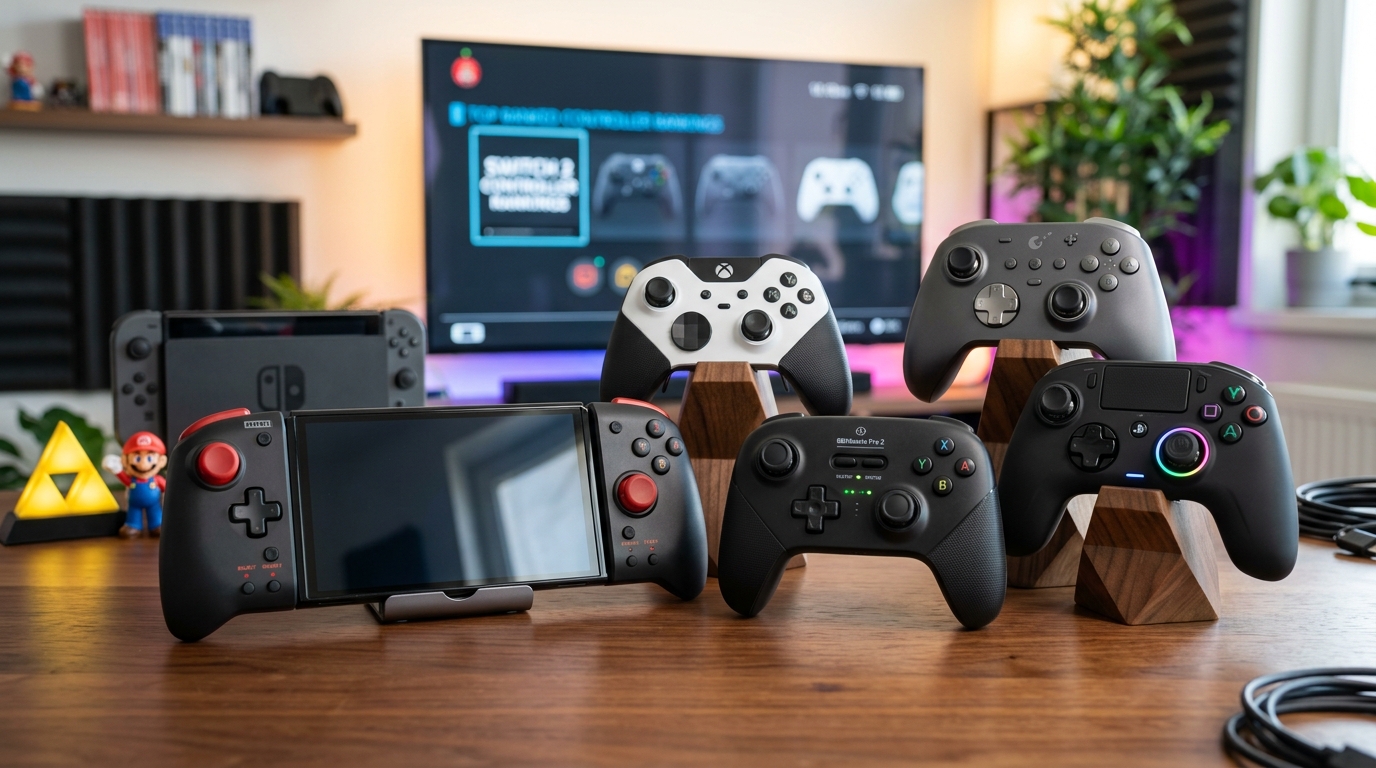
The Nintendo Switch 2 has arrived with more powerful hardware and broader controller support than its predecessor, and that means one thing for players: choice. Whether you’re a competitive player who refuses to miss a single frame, a family that wants four controllers for couch co-op, or a commuter who needs something compact, picking the right controller can transform the way the Switch 2 feels.
This guide walks through the best Nintendo Switch 2 controllers available right now, looking at comfort, latency, features, battery life, and value. It draws inspiration from specialist hardware roundups but uses an entirely new structure and analysis focused on what actually matters once you’re in-game.
How to Decide Which Switch 2 Controller You Really Need
Before diving into individual models, it helps to understand what separates a great controller from an average one on Switch 2. Nintendo’s own documentation confirms that the system supports wireless Bluetooth controllers and wired USB controllers via the dock, just like the original Switch, while expanding compatibility with more modern wireless standards.1
Key Factors to Compare
- Latency and connection type — Wired pads generally offer the lowest input latency, while high-quality 2.4 GHz or Bluetooth connections can be effectively indistinguishable from wired for most players. Competitive players will want to avoid unstable Bluetooth-only budget pads.
- Ergonomics — Hand size matters. Larger players may prefer chunkier grips and longer triggers, while younger players often benefit from lighter, more compact designs.
- Motion controls and rumble — Many Switch 2 games still rely on motion aiming or rumble feedback. Not every third-party pad includes gyros or high-fidelity haptics, so check carefully.
- Battery life — Official documentation for the original Switch Pro Controller cited approximately 40 hours of battery life per charge,2 and several modern third-party options match or exceed that. Long sessions or travel use benefit from anything above 20 hours.
- Extra features — Rear paddles, adjustable triggers, custom profiles, and interchangeable sticks are increasingly common on premium pads and can give you an edge in certain genres.
- Price and build quality — Cheaper controllers often cut corners on materials, stick durability, or wireless stability. The aim is to find the sweet spot where build, features, and price all line up.
Quick Comparison Table
| Controller Type | Best For | Connection | Motion / Rumble | Typical Price Tier |
|---|---|---|---|---|
| Premium Pro Gamepad | Competitive and long-session play | 2.4 GHz + USB-C | Full support | High |
| Official Switch 2 Pro Controller | All-round daily use | Bluetooth + USB-C | Full support | Mid–High |
| Budget Wireless Pad | Extra player, kids, backups | Bluetooth | Basic or limited | Low–Mid |
| Joy-Con Style Pair | Portable and tabletop play | Rail + Bluetooth | Full support (varies by brand) | Mid |
| Wired Tournament Pad | Fighters, esports setups | USB-C wired | Limited / none | Mid |
The Best Overall Nintendo Switch 2 Controller
For most players, the best Switch 2 controller is a premium wireless gamepad that balances price, features, and comfort. While Nintendo’s own Pro Controller line is the safe choice, several modern third-party pads now offer low-latency wireless modes, extra buttons, and software customization that make them particularly compelling for 2026.
Why a Premium Third-Party Pad Often Wins
High-end third-party controllers now offer features that used to be reserved for enthusiast PC controllers: 2.4 GHz dongles, multi-platform support (Switch, PC, mobile, sometimes even PlayStation or Xbox), and deep software customization via companion apps. Many include hall-effect analog sticks to mitigate drift, a long-running issue on earlier Nintendo hardware.3
These pads tend to sit slightly cheaper than the official Pro Controller while including:
- Dedicated low-latency wireless (2.4 GHz) for docked play.
- Bluetooth for handheld and portable setups.
- Re-mappable back buttons for quick actions in shooters or MOBAs.
- Profiles you can swap on the fly for different genres.
If you want a single controller that works across Switch 2, PC, and maybe even mobile cloud services, a premium multi-platform pad is generally the strongest recommendation.
The Official Nintendo Switch 2 Pro Controller
Nintendo’s own Pro-class controller for Switch 2 follows the blueprint established by its predecessor but benefits from incremental refinements and native support for every Nintendo feature. On the original Switch, Nintendo’s Pro Controller was praised for its long battery life and comfort across a wide range of hand sizes.2 The Switch 2 version builds on that by refining ergonomics and wireless performance.
Strengths of the Official Pro Controller
- Seamless compatibility — Every game that expects a Nintendo-standard layout and feature set will work properly, including nuanced motion controls, HD-style rumble sequences, and NFC support for amiibo where included.
- Comfortable for extended play — The grip shape is deliberately neutral, designed to work for a wide range of ages and hand sizes. Curved triggers and face button placement make it easy to transition from docked to handheld play.
- Simple setup and updates — Firmware updates are delivered directly via system software, and pairing is one button press away from the home menu.
Where Third-Party Alternatives Pull Ahead
- Extra inputs — Competitive players may miss rear paddles or trigger locks, which are still more common on high-end third-party gamepads.
- Cross-platform use — Nintendo’s official controllers are primarily focused on its own ecosystem. Third-party options often cover PC and mobile as first-class citizens.
- Price-to-feature ratio — When you can spend a similar amount on a pad with paddles, swappable sticks, and a 2.4 GHz dongle, the official pad is no longer the only top-tier choice.
Budget-Friendly Switch 2 Controllers Worth Buying
Not everyone needs tournament-grade hardware. Sometimes you just need a solid controller for extra players or kids that won’t bankrupt you if it hits the floor. Nintendo itself sells simpler controllers and Joy-Con replacements, but several licensed or reputable third-party brands now focus on low-cost yet reliable Bluetooth pads.
What to Expect from Budget Pads
Typical trade-offs in the budget range include:
- Reduced rumble fidelity — You may only get basic vibration engines instead of nuanced, high-definition haptics.
- No NFC — Amiibo support is often cut to keep costs down.
- Less premium materials — Lightweight plastic shells and simpler textures on the grips.
Despite these compromises, many budget pads still include motion sensors and full wireless support, which is enough for platformers, party titles, and many indie games.
Tips for Choosing a Reliable Cheap Controller
- Look for officially licensed badges, which indicate compliance with Nintendo’s hardware requirements.
- Prioritize brands that clearly list motion control support if you play titles that rely on gyro aiming.
- Check for USB-C charging — it’s more convenient than micro-USB and matches the Switch 2 itself.
- Prefer controllers with at least 10–15 hours of battery life to minimize charging overhead.
Joy-Con Style Options and Local Multiplayer
One of Nintendo’s big differentiators remains detachable, modular controllers. The Joy-Con concept continues on Switch 2, giving you immediate two-player support out of the box and flexible configurations for portable and tabletop play. Nintendo’s official store lists a wide variety of Joy-Con colors and variants, including themed editions for first-party releases.4
Why Joy-Con Still Matter on Switch 2
- Instant co-op — Detach two Joy-Con, rotate them sideways, and you have two mini controllers for quick Mario Kart or party games.
- Portable versatility — They slide onto the sides of the console for handheld mode and can be used wirelessly with a grip in docked mode.
- Unique motion experiences — Nintendo’s motion-heavy titles are often tuned around Joy-Con detection and rumble.
Third-Party Split Controllers
Some manufacturers now make split controllers that replace Joy-Con rails with more ergonomic grips, often adding full-size sticks and triggers on each side. These are especially useful if you spend most of your time in handheld mode and find the standard Joy-Con too small or cramped.
When choosing split controllers for Switch 2, look for:
- Secure rail attachment and minimal wobble.
- Full button mapping equivalent to a Pro Controller when both sides are attached.
- Optional wireless use as separate pads when detached (not all offer this).
Controllers for Competitive and Esports-Level Play
If you play competitive shooters, fighting games, or high-level platformers, the details of your controller matter more. Input latency, stick consistency, and button feel can influence performance over hundreds of matches.
Wired Tournament Controllers
For fighters and esports environments where wireless interference is a concern, a wired USB-C controller is often the standard. Wired controllers avoid Bluetooth congestion entirely, providing a stable connection that isn’t susceptible to the same dropouts as wireless in crowded arenas.5
Popular features in this category include:
- Shorter actuation buttons for faster inputs.
- Distinct octagonal or square gates around the left stick or D-pad for precise directional inputs.
- Removable cables for easier transport.
Rear Paddles and Trigger Adjustments
Higher-end competitive pads often include two to four rear paddles that can be mapped to any face button. In shooters, for instance, you can jump or slide while keeping your thumb on the right stick. Adjustable trigger travel lets you change a long, analog pull (good for racing games) into a very short digital click (ideal for rapid fire in shooters).
When used correctly, these adjustments don’t magically make you a better player, but they do allow more efficient inputs and reduce finger strain over long sessions.
Accessibility and Comfort Considerations
Accessible controller design has gained increasing attention across the industry as platform holders and manufacturers recognize the wide range of ways players interact with games. Microsoft’s Xbox Adaptive Controller and Sony’s Access controller for PlayStation exemplify this shift, and they have influenced third-party designs more broadly.67
Features That Improve Accessibility
- Re-mappable buttons — Both at the system level and in controller software, remapping allows players to assign inputs to comfortable positions.
- Swappable stick caps and D-pads — Different shapes and textures help those with limited grip strength or specific mobility needs.
- Profile switching — Quickly shifting input layouts lets multiple users share a controller with different accessibility setups.
- Support for external switches — Some controllers can work in tandem with specialized switches or pedals to reduce strain on hands.
Ergonomics for Long Sessions
Even if you don’t have specific accessibility needs, good ergonomics reduce fatigue and the risk of repetitive strain. Look for:
- Grips that fit the natural contour of your hand.
- Textured surfaces along the back where your fingers rest.
- Moderate controller weight; extremely light or heavy designs can both cause fatigue.
Practical Buying Tips for 2026
With so many competing brands and new models, a little research goes a long way. Here are some practical steps to follow before you commit.
Step-by-Step Buying Checklist
- Identify your primary play style — Mostly handheld? Docked on a TV? Competitive online? This will narrow your focus to Joy-Con style, Pro-style, or wired pads.
- Set a realistic budget — Premium controllers can cost significantly more than budget models. Decide how much extra you are willing to spend for features like paddles, 2.4 GHz wireless, or hall-effect sticks.
- Check compatibility — Confirm that the controller you’re considering explicitly states Switch 2 support or, at minimum, Switch-compatible modes that have been tested on the new hardware.
- Consider future platforms — If you also play on PC or other consoles, a multi-platform pad may offer better long-term value.
- Read independent reviews — Look for assessments that mention stick durability, wireless stability, and any quirks with motion controls.
Frequently Asked Questions
Do I really need motion controls on a Switch 2 controller?
No, but you’ll miss certain gameplay features without them. First-party Nintendo games and many third-party titles use gyro aiming, tilt puzzles, or motion gestures. If you mostly play retro, indie, or turn-based games, you can get away with a controller that lacks motion sensors. For everything else, it’s better to have them.
Is a wired controller always lower latency than wireless?
In theory, a wired USB connection eliminates radio interference and offers the most consistent latency. In practice, modern 2.4 GHz controllers are extremely fast and, for many players, indistinguishable from wired. For competitive tournaments or very latency-sensitive fighting games, wired remains the safest choice.
Will my old Switch controllers work on Switch 2?
Nintendo has historically allowed controllers from previous generations to work on updated hardware where technically feasible, and many third-party pads already support both systems through firmware modes. Always check the manufacturer’s documentation or update notes to confirm that a specific controller officially supports Switch 2 features.
What is controller “drift,” and how can I avoid it?
Drift occurs when an analog stick registers movement even when untouched. It is commonly caused by wear, dust, or the design of the potentiometer-based stick modules. Controllers using hall-effect sensors, which rely on magnetic fields rather than physical resistive traces, are less prone to this type of wear and may offer better long-term reliability.3
How many controllers can I connect to a Switch 2 at once?
The original Switch supported up to eight controllers simultaneously in various configurations, according to Nintendo’s documentation.1 While details for Switch 2 may differ slightly depending on the game and controller type, it is reasonable to expect robust local multiplayer support with multiple wireless and Joy-Con style devices.
Final Thoughts: Matching the Controller to the Player
No single Nintendo Switch 2 controller is best for everyone. The ideal choice depends on what you play, where you play, and how often you play. A premium multi-platform pro pad offers the best all-round experience for most players, the official Pro Controller remains the safe and fully compatible default, and budget or Joy-Con style options fill important niches for families, party games, and portable use.
Take a moment to map your own habits to the categories in this guide, and you’ll quickly narrow down the field. In 2026 the good news is that, regardless of your budget or play style, there is a Switch 2 controller that will make your games feel better than ever.
References
- Using controllers with Nintendo Switch — Nintendo Support. 2017-03-03. https://en-americas-support.nintendo.com/app/answers/detail/a_id/22448
- Nintendo Switch Pro Controller – Product Information — Nintendo. 2017-03-03. https://www.nintendo.com/switch/accessories/nintendo-switch-pro-controller/
- Patent US20190217355A1: Joystick with reduced wear — Nintendo Co., Ltd. 2019-07-18. https://patents.google.com/patent/US20190217355A1/en
- Joy-Con & Controllers – My Nintendo Store — Nintendo. 2026-01-10 (accessed). https://www.nintendo.com/us/store/hardware/joy-con-and-controllers/
- Best practices for reducing wireless interference — Federal Communications Commission (FCC). 2021-05-05. https://www.fcc.gov/consumers/guides/interference-cordless-telephones-wireless-networks-and-personal-computers
- Xbox Adaptive Controller — Microsoft. 2018-09-04. https://www.xbox.com/accessories/controllers/xbox-adaptive-controller
- Access controller for PS5 console — Sony Interactive Entertainment. 2023-12-06. https://www.playstation.com/accessories/access-controller/
Similar Articles








Read full bio of medha deb