Top TMR Gaming Controllers For Precision Play
A practical guide to today’s best TMR controllers, how they differ, and which one is right for your style of play.
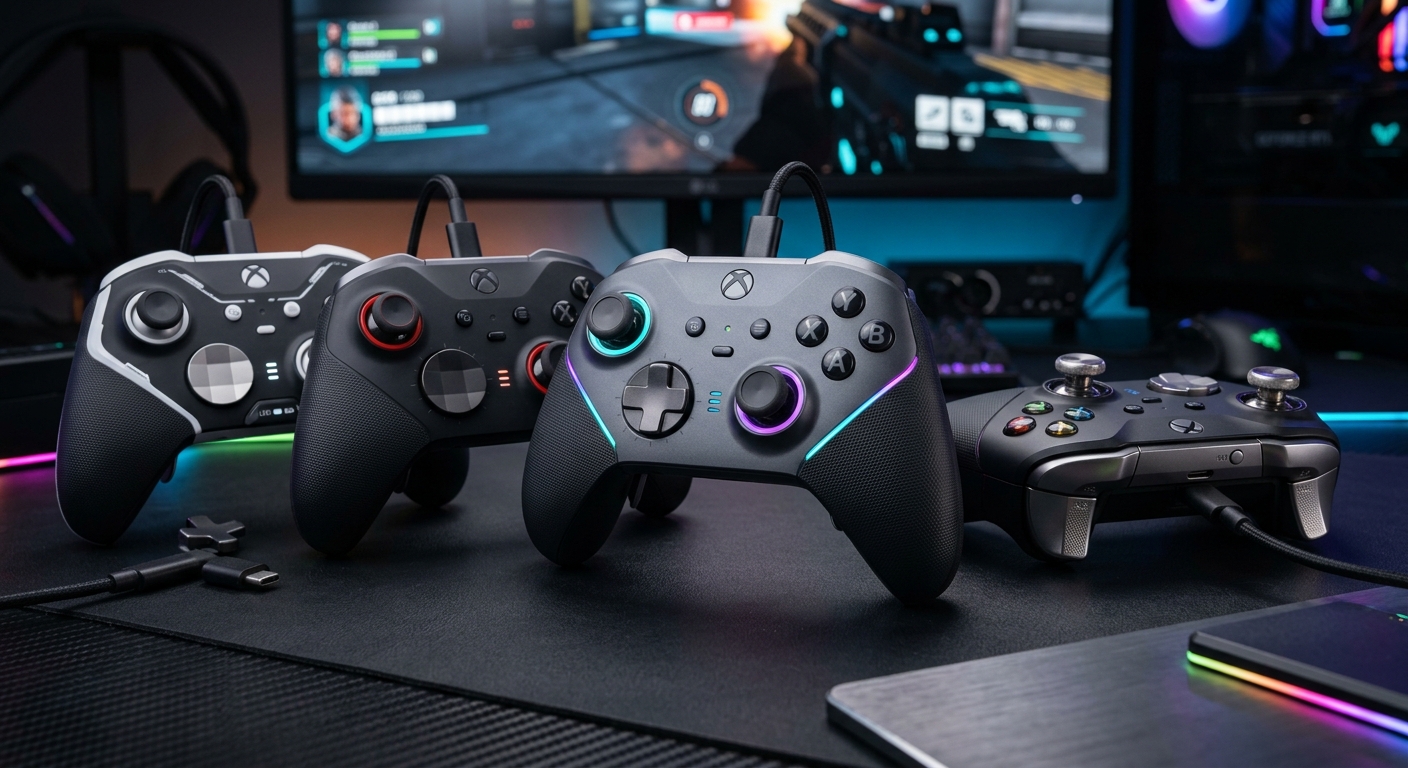
TMR (tunneling magnetoresistance) thumbsticks have rapidly gone from a niche feature to a headline spec on many of the latest gamepads. They promise smoother response, improved accuracy, and better long-term stability compared to older potentiometer-based sticks, and they sit alongside a wave of Hall effect controllers that aim to eliminate drift entirely. With so many options arriving at once, it can be difficult to work out which TMR controller is actually worth your money.
This guide pulls together the key ideas behind the current crop of TMR controllers, explains how they differ in feel from traditional pads, and looks at what kinds of players each type is aimed at. It draws inspiration from hands-on testing in the enthusiast press, but reorganizes the information into a fresh, practical overview so you can confidently choose the right controller for your platform and play style.
What TMR Thumbsticks Actually Are
Traditional analog sticks rely on mechanical potentiometers: physical parts slide or rotate over resistive elements, and the electrical resistance is translated into movement in your game. Over time, friction wears the components down, leading to inconsistent readings and the dreaded analog drift. TMR sticks use a different approach that reduces this mechanical wear.
In a TMR stick, a small magnet is attached to the moving part of the thumbstick. As you move the stick, the magnet shifts relative to a sensor that measures tiny changes in resistance based on the magnetic field. Instead of physical scraping, the motion is detected magnetically, which can be more precise and less prone to wear.
- Less mechanical contact: fewer parts rubbing directly against each other, which can reduce gradual degradation.
- Finer analog control: TMR sensors can register subtle movements reliably, helping with micro-adjustments in shooters and racing games.
- More stable readings: because the sensor works magnetically, it’s generally more consistent over time than a standard pot-based stick, though not completely immune to drift.
While TMR technology is not brand new in a scientific sense, its rollout in mainstream gaming controllers is a recent development driven by player demand for better precision hardware and by the competitive scene’s emphasis on aim consistency.
TMR vs Hall Effect vs Standard Sticks
When comparing controllers, you’ll see three major stick types right now: classic potentiometer sticks, TMR sticks, and Hall effect sticks. Understanding the differences makes it easier to read spec sheets and marketing claims without being misled.
| Stick Type | How It Works | Key Benefits | Typical Drawbacks |
|---|---|---|---|
| Standard Potentiometer | Physical wiper moves over resistive tracks | Cheap, widely available, familiar feel | Wear and tear over time, prone to drift |
| TMR | Magnet moves near a TMR sensor to register position | Higher precision, smoother response, better longevity than pots | More expensive, still not fully drift-proof |
| Hall Effect | Magnetic field measured by Hall sensor; no mechanical contact | Designed to be effectively contactless, excellent durability | May cost more; implementation quality varies between brands |
In practice, well-implemented TMR sticks will feel noticeably smoother around the center and more responsive at small deflections than many stock console pads. Hall effect controllers are marketed strongly on longevity and drift resistance, but a good TMR pad can strike a nice balance between cost, performance, and feel.
Core Features To Look For In A TMR Controller
Stick tech is only one part of what makes a great controller. As manufacturers roll out TMR pads, they often bundle them with other premium features aimed at competitive and enthusiast players. When evaluating your options, prioritize how the whole package fits what you actually play.
1. Back Buttons and Paddles
Rear buttons are now standard on most high-end controllers. They let you keep your thumbs on the sticks while performing actions that would usually require face buttons.
- Two-button layouts work well for shooters and battle royales, where you might map jump and reload to the rear.
- Four-button arrays suit players who want face button, sprint, or crouch controls all on the back of the pad.
- Remapping options will either be handled via a hardware button combination or via PC/mobile software, depending on the brand.
Being able to profile these buttons and switch profiles per game is a major plus, especially if you bounce between genres.
2. Trigger Adjustments
Triggers are another focus area on modern TMR controllers. Some pads offer:
- Mechanical trigger stops to reduce travel for faster shooting.
- Digital trigger modes that turn an analog pull into a mouse-like click.
- Curved travel or resistance tuning via software, adjusting where the input is registered along the pull.
For FPS and action titles, being able to limit the trigger travel can offer a small but meaningful responsiveness boost. Racing fans, on the other hand, may prefer full-range analog triggers with finely tuned sensitivity curves.
3. Stick Tuning and Deadzones
The real power of TMR controllers shows up once you start tuning stick behavior to match your preferred aim style. The better pads give you granular control over:
- Inner deadzone: the amount of movement around the center required before your character begins to move.
- Outer deadzone: how close to the maximum range you need to push the stick before it’s registered as fully tilted.
- Response curves: whether the stick accelerates smoothly or more aggressively as you move away from center.
Being able to save these as profiles per game is especially useful for competitive players moving between titles with different in-game sensitivity systems.
4. Build Quality, Weight, and Shape
Because TMR controllers tend to target higher-end users, you’ll often see nicer materials, rubberized grips, and premium plastics. That doesn’t automatically make a pad better.
- Weight: heavier pads can feel more planted but may lead to fatigue in long sessions; lighter pads are easier to maneuver but may feel less substantial.
- Shape: some TMR controllers mimic the standard Xbox or PlayStation silhouettes, while others adopt a hybrid shape. Try to match the shape you’re already comfortable with unless you’re sure you want a change.
- Modularity: swappable faceplates, stick caps, and D-pads are increasingly common, making it easier to personalize comfort and aesthetics.
5. Connectivity and Platform Support
Many TMR controllers are designed to work across multiple systems, but not all of them support every platform out of the box. You’ll typically see some mix of:
- Wired USB-C for PC, Xbox, and some consoles.
- Low-latency 2.4 GHz dongles for PC and console.
- Bluetooth connectivity for mobile, handheld PCs, and smart TVs.
Check which platforms are officially supported by the manufacturer so you get access to all features, firmware updates, and customization software.
Picking The Right TMR Controller For Your Play Style
Instead of fixating on one “best” controller, it’s more useful to identify which sort of TMR pad matches how and where you play. Here’s a breakdown of common player profiles and the feature sets that usually work best for each.
Competitive Shooter Enthusiasts
If your library revolves around tactical shooters and battle royales, the right controller can make aim and movement feel more consistent under pressure.
- Key priorities:
- High-quality TMR sticks with low inner deadzones.
- At least two rear buttons for jump and reload or crouch.
- Short-throw triggers or digital trigger options.
- Stable wired or 2.4 GHz connection to minimize latency.
- Nice-to-have extras: stick tension options and fine-grained aim curve adjustments per profile.
Action and Fighting Game Players
Players who split their time between action adventures, brawlers, and fighting games tend to value crisp directional input and reliable combos over intricate stick tuning.
- Key priorities:
- A responsive D-pad with clear cardinal and diagonal inputs.
- Solid face buttons with consistent actuation and rebound.
- Comfortable grip for longer story-driven sessions.
- Nice-to-have extras: extra back buttons for macro-style functions (if allowed by the games you play) and platform-specific layouts that match your main console.
Racing and Sports Fans
For racers and sports games, analog control is king. TMR sticks can offer very fine control over steering and player movement when tuned properly.
- Key priorities:
- Precise analog sticks with adjustable response curves.
- Full-range triggers without aggressive mechanical stops.
- Comfortable, non-slip grips to handle longer sessions.
- Nice-to-have extras: multiple stick caps or lengths to fine-tune your steering and aiming feel, especially in sim-style racers.
Cross-Platform and Handheld PC Users
If you play on a desktop PC one day, a console the next, and a handheld PC on the weekend, flexibility and firmware support matter just as much as raw performance.
- Key priorities:
- Reliable wireless modes across PC, console, and handheld.
- Companion software that runs on at least one of your main platforms.
- Profiles stored on-board the controller so settings travel with you.
- Nice-to-have extras: quick-profile switches, clear LED indicators, and button prompts that match your main console ecosystem.
Longevity, Drift, and Maintenance
One of the main reasons players seek out TMR or Hall effect controllers is to avoid the analog drift that has plagued many modern gamepads. TMR sticks do provide better stability than classic potentiometer designs, but no consumer controller is completely immune to wear or manufacturing variance.
There’s encouraging evidence that moving away from traditional analog components can significantly extend a controller’s life. For example, official documentation from major platform holders has acknowledged widespread reports of drift in standard controllers and has led to some repair programs and design changes in newer revisions.1 Meanwhile, makers of higher-end third-party pads often highlight their use of magnetic or non-contact sensors as part of their durability pitch.2
Even with improved sensor tech, good maintenance still matters:
- Keep controllers away from dust and debris, especially around the stick openings.
- Avoid pressing excessively hard on the sticks or triggers.
- Use a solid case or drawer if you regularly travel with your pad.
- Update firmware when available; some brands use it to refine deadzones and calibration over time.
Software Ecosystems and Customization
The software side of each TMR controller can be just as important as the hardware. Manufacturers typically offer PC or mobile apps to configure back buttons, tweak stick behavior, and update firmware.
From a player’s perspective, the best software suites tend to share several traits:
- Clear visual diagrams of the controller layout for easy remapping.
- Safe firmware update mechanisms with clear progress indicators.
- Profile management for saving different setups and sharing them between supported devices.
- Offline functionality after the initial install, so you don’t need an internet connection to re-tune your pad.
It is worth downloading customization software directly from official brand websites or verified app stores to avoid counterfeit tools and potential security issues.3 The extra step of checking for the correct publisher name and domain is a small price to pay for avoiding malware or sketchy downloads.
Price Brackets and Value
TMR controllers generally sit in a mid-to-premium price band, reflecting their more advanced internals and feature sets. When deciding where to spend, consider how many of the advanced options you will actually use.
- Budget TMR controllers: typically provide the new stick tech, a reasonably comfortable shell, and minimal extras. Great if you want the feel of TMR without paying for high-end luxuries.
- Mid-range models: often add back buttons, modest software support, and better materials. These can offer the best balance of performance and price for most players.
- Flagship pads: throw in extensive back button arrays, multiple connection modes, swappable parts, and exhaustive software tuning. They’re ideal for players who will actively exploit all that configuration depth in competitive environments.
Paying for a feature-rich controller only makes sense if you plan to take advantage of it. If you mostly play single-player story games on one platform, you might prioritize comfort and build quality over advanced remapping and cross-platform compatibility.
Frequently Asked Questions
Are TMR controllers worth it if I already own a standard pad?
They can be, depending on how sensitive you are to stick feel and whether you’ve had issues with drift. Players who spend a lot of time in competitive games tend to notice the smoother response and improved fine control more than casual players. If your current controller works well and you haven’t experienced drift, upgrading is more of a luxury than a necessity.
Do TMR sticks completely eliminate analog stick drift?
No technology can guarantee zero drift forever, but TMR sticks reduce the mechanical wear that often causes drift on traditional potentiometer sticks. The improvement is meaningful, but you should still treat the controller carefully and keep it clean for best results.
How do TMR controllers compare to official console pro pads?
Some first-party pro controllers still rely on advanced potentiometer sticks rather than TMR or Hall sensors, while others are slowly incorporating non-contact technologies. Third-party TMR controllers can match or exceed official pads in raw stick precision and customization, but official controllers usually integrate more tightly with console firmware and user interfaces. Your choice may come down to whether platform integration or raw customization matters more.
Can I use one TMR controller across multiple platforms?
Many modern controllers are designed with cross-platform play in mind, offering a mix of wired, 2.4 GHz, and Bluetooth connectivity. Always check the box or official product page to confirm which systems are supported. You may need platform-specific firmware or different wireless modes for consoles versus PC.
Is there input lag when using a TMR controller wirelessly?
Every wireless connection introduces some latency, but good 2.4 GHz implementations and modern Bluetooth chipsets keep this low enough to be unnoticeable for most players. For serious competitive play, many users still prefer a wired connection, which tends to offer the lowest, most consistent input lag.4
Final Thoughts
TMR controllers represent a significant step forward for players who value precise sticks, robust customization, and better long-term stability than traditional pads. They sit alongside Hall effect controllers at the cutting edge of gamepad design, offering attractive options for competitive, casual, and cross-platform gamers alike.
When you’re choosing your next controller, focus on how you actually play: which genres you spend the most time in, which platforms you own, and which advanced features you’ll use daily. A well-chosen TMR pad can become a long-term companion across multiple games and systems, offering consistent control and a tailored feel that’s hard to go back from once you’ve gotten used to it.
References
- Nintendo Switch: Analog stick calibration and maintenance — Nintendo Support. 2021-11-15. https://en-americas-support.nintendo.com/app/answers/detail/a_id/22500
- Xbox Elite Wireless Controller Series 2 – Technical Specifications — Microsoft. 2023-06-01. https://www.xbox.com/en-US/accessories/controllers/elite-wireless-controller-series-2
- Staying safe online when downloading software — Cybersecurity & Infrastructure Security Agency (CISA). 2023-08-09. https://www.cisa.gov/news-events/news/avoiding-social-engineering-and-phishing-attacks
- Low Latency Gaming: Wired vs Wireless Controllers — NVIDIA GeForce PC Gaming Guide. 2022-09-20. https://www.nvidia.com/en-us/geforce/guides/pc-gaming-guide/
Similar Articles








Read full bio of Sneha Tete